
QR code photo sharing
QR code photo sharing for parties, work events and family gatherings
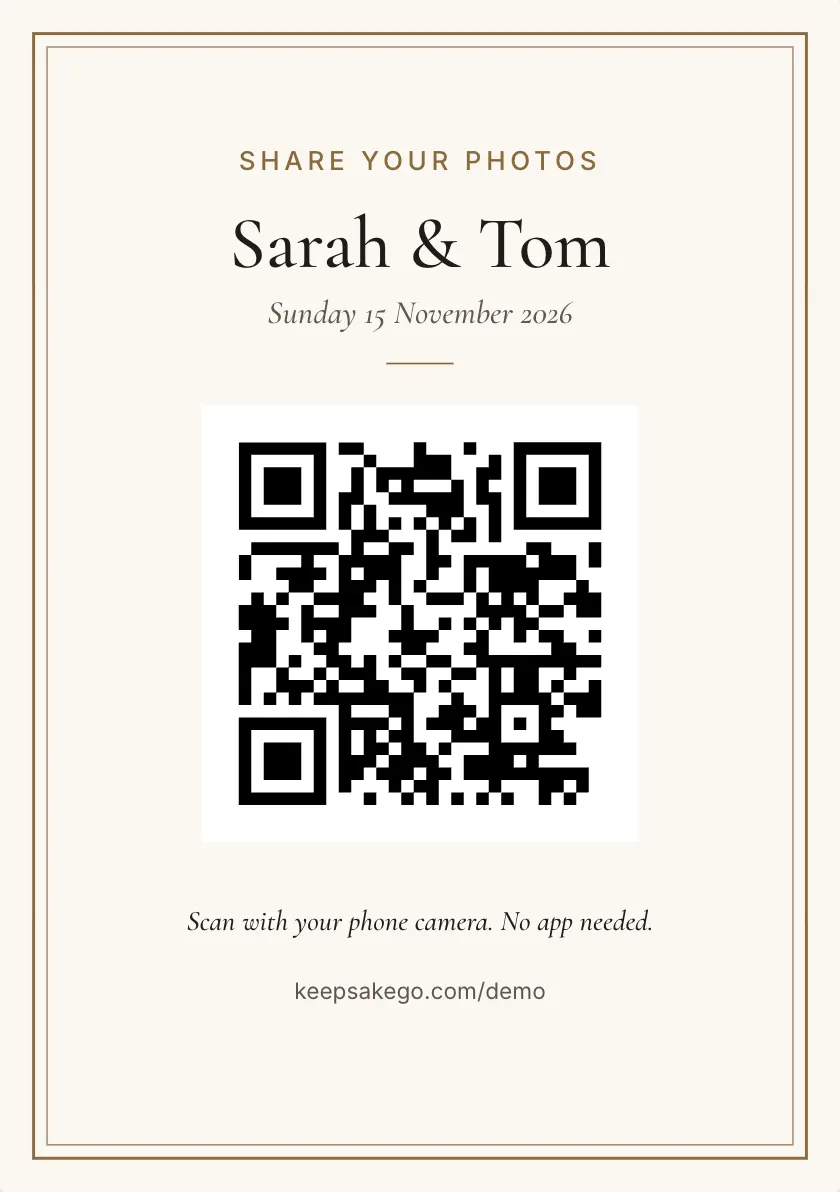
Print one QR code. Guests scan it with their phone camera, choose their photos and videos, and they arrive in your private guest book at full size.
- Free trial, no card
- Your QR code straight away
- No password
How does QR code photo sharing work?
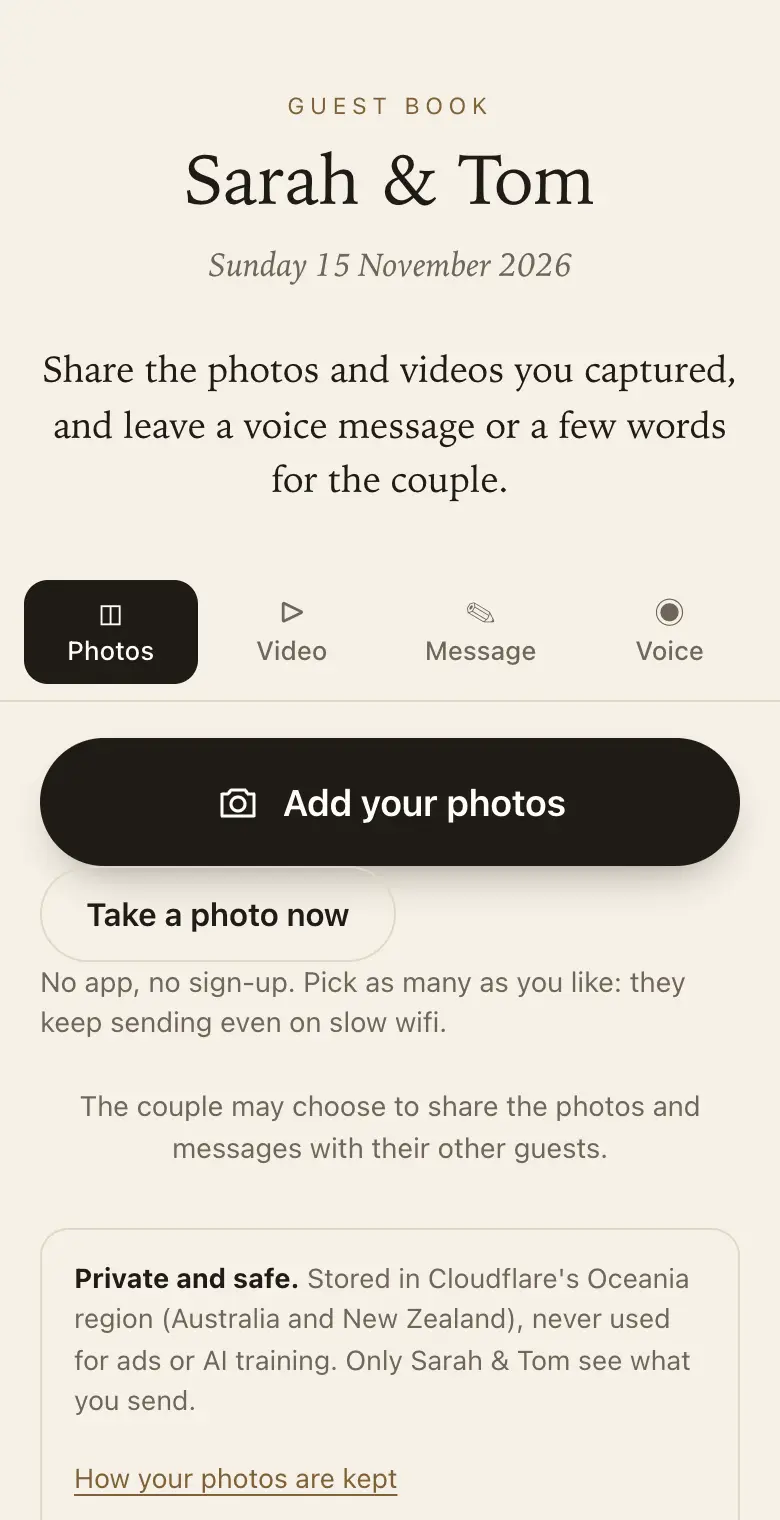
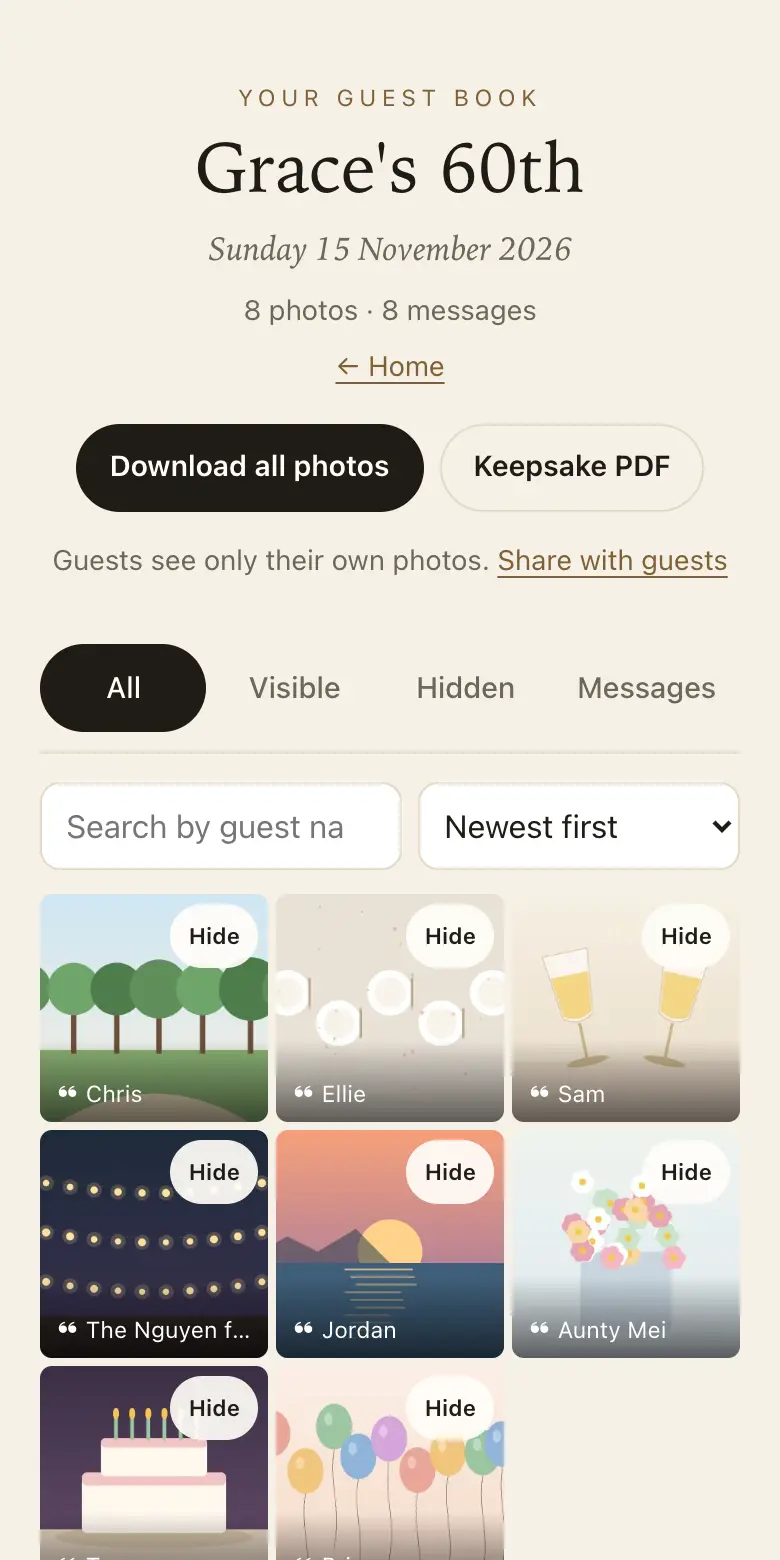
You create an event and print its QR code. Guests point their phone camera at it, the upload page opens in their browser, and they choose photos and videos from their camera roll. The files go to the host's private guest book, where they can be shown as a slideshow and downloaded in full size.
Why a QR code beats a shared album
- No app and no account: shared albums often need a particular phone, an app or a sign-in. A QR code opens in any phone's browser.
- Full-size files: chat apps shrink photos. Here the photo file from the guest's phone is uploaded as it is and kept for download.
- Private: guests see only what they sent unless you share it, and the code carries a secret key.
- When the signal drops: photos are saved on the phone and retried in the background until they are sent.
More than photos
The same page takes short videos up to 30 seconds, voice messages up to a minute and written notes, so you get the words as well as the pictures.
Shared albums, group chats and a QR code
- Group chats: photos are often squeezed down to save data, buried between jokes and replies, and hard to find a month later.
- Shared albums: they work when everyone has the same kind of phone, the same app or the same sign-in. With a hundred guests, someone is left out.
- A QR code: it opens a page in whatever browser the phone already has. Guests choose photos, press send, and the original file comes to you.
What full size means
Each photo goes up as the original file from the guest's phone, the same one they would get by plugging it into a computer. Smaller copies are made alongside it so your guest book loads quickly, but the download is the original. That matters when you want to print a group shot large or crop a candid moment.
Private to you, not the whole guest list
In a group chat, everyone sees every photo the moment it is posted. Here a guest sees only what they sent. You see it all, and you decide whether photos, messages or both are shared with every guest. Add a passcode to the sign at a public venue, or turn on approve first so new photos wait for you.
Any kind of event
At sign-up you choose wedding, engagement, anniversary, birthday, baby shower, work event, memorial or other. Each one changes the words guests see. A school reunion, a club presentation night or a family holiday fits under other.
Many of the good photos are still in people's phones the next morning. Send the link in a message the day after and guests can add them from home while the sharing period is open.
Which plan for photo sharing
The free trial is a good way to try it with a few friends first. Classic and Signature have no limit on how many photos, videos and voice messages guests send, within 25 GB on Classic and 40 GB on Signature. When a guest book reaches its limit, guests can no longer add photos, videos or voice messages, and can still leave written messages. Videos come with the Classic and Signature plans; the free trial takes photos, voice messages and notes. Choose Signature when photos will keep arriving for months or you want the longest time to download them.
How it works: three questions, then your QR code. Print a sign or send the link, and guests share from their phone. See how it works.
Price: free to try, then from A$79 once per event, including GST. Compare plans.
Read next: where to put QR code signs at a venue · what to do when a QR code won't scan · plans, storage and download periods · common questions about sharing and privacy
Questions
Do guests have to stay on the page while photos send?
It helps. Each photo is saved on the phone first and sent in the background, and it is retried if the signal drops. The page asks guests to keep it open until their photos finish, which matters most at venues with weak reception.
Can guests see each other's photos?
Only if you choose. By default a guest sees just what they sent. You can share photos with all guests from your settings, and the live slideshow is another way to show them to the room while the event is on.
What if someone uploads a photo I don't want?
Hide it or delete it permanently from your dashboard. If you would rather check everything before others see it, turn on approve first: new photos then wait for you before guests or the slideshow can see them.
How do I get all the photos onto my computer?
Download every original as a ZIP from your dashboard during the plan's download period. After that period ends, the smaller viewing copies stay in your guest book until you delete them, so save the originals before then.
Do I need to print a sign?
It helps most guests find it. The sign designer makes table cards, a welcome sign or sheets of cards that print from your browser. For guests who are far away, send the same link in a message instead.
How far away can guests scan the code from?
As a rule of thumb, a phone reads a code from about ten times its width. The code on the A5 card is about 7 cm across, so it reads from about 70 cm away. Put signs where people sit or queue rather than high on a wall.
Does it work on iPhone and Android?
Yes. Any phone with a camera that reads QR codes and a web browser can use it; there is nothing to install.
Are the photos compressed?
Photos are sent small first so they appear quickly, then the original is uploaded, and the original is what you download.
Also made for
Create yours now
Free trial, no card · Your QR code straight away · No password · Pay only when you are ready