
How it works
How a QR code guest book works, from sign-up to keepsake
There are two sides to Keepsake. You, the host, set up the guest book, print the signs and keep what arrives. Your guests scan a code and send photos and messages from their phone.
- Free trial, no card
- Your QR code straight away
- No password
How does a QR code guest book work?
You create a guest book, print its QR code on signs and put them out at your event. Guests scan the code with their phone camera, a page opens in the browser, and they send photos, voice messages, short videos and notes. Everything arrives in your private guest book to view, share and download.
1. Sign up and confirm your email
Start at keepsakego.com/start, where you are asked three things: what kind of event it is, what to call it, and your email address. The kind of event you pick sets the wording guests see. Your QR code and live guest page appear straight away, with no password.
We then email you a six-digit code. Type it in to confirm the address. Until you do, the guest book takes up to 10 uploads, which is enough to test it. A guest book that is never confirmed is erased 24 hours after sign-up, so confirm it the same day.
2. Set it up your way
- Prompts: up to five questions guests see as they write; each kind of event starts with its own.
- Privacy: add a passcode, or turn on approve first so new photos wait for you.
- A co-host: invite one other person to manage the guest book with you.
- Event date: the sharing window counts from it, and you can change it in settings.
3. Print the signs
Choose a template in the sign designer. Change the heading, names, date line, instruction and accent colour, then print table cards, a welcome sign or sheets of cards from your browser. Turn on the optional back to give guests the steps for sharing.
4. The guest side on the day
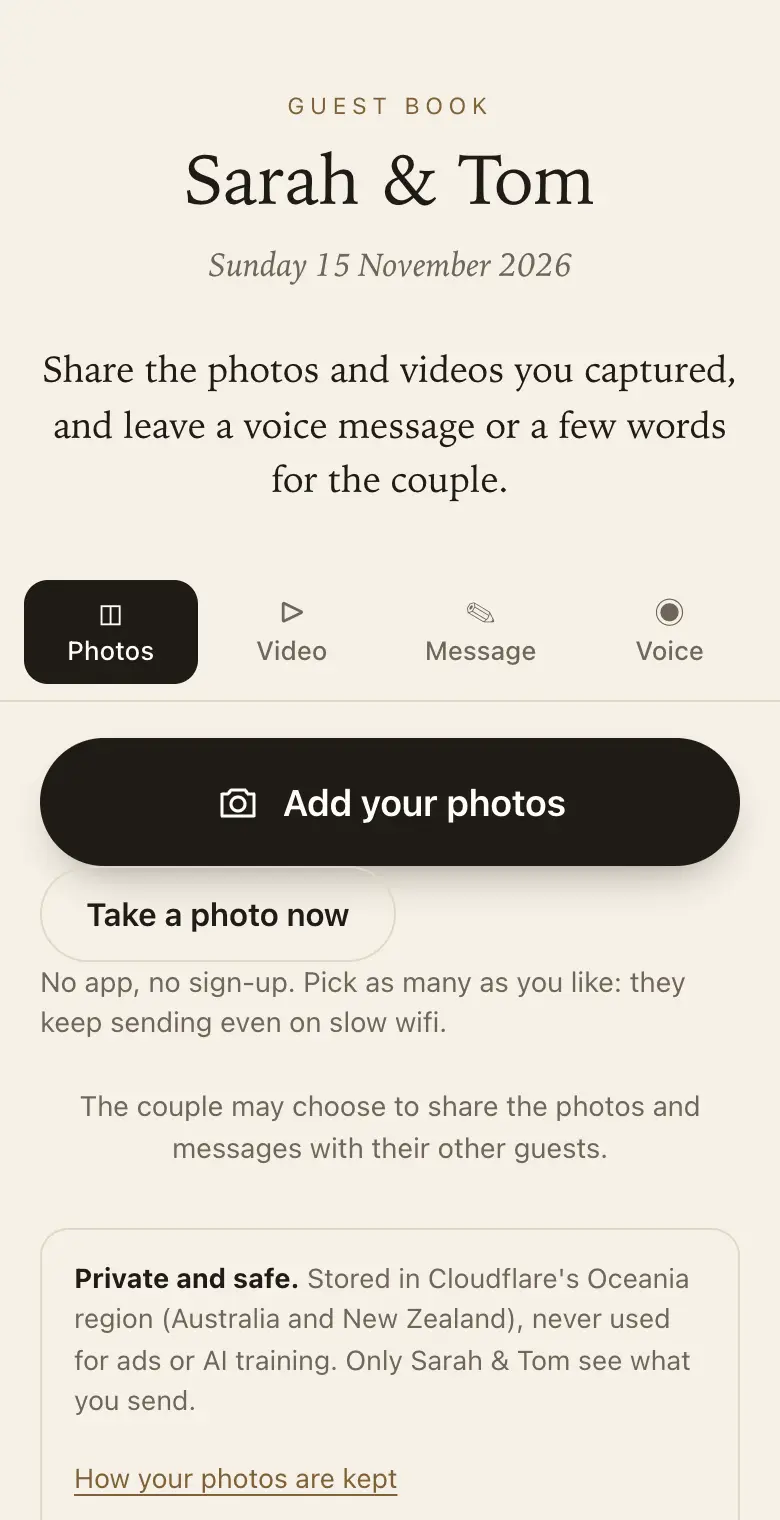
- Scan: the guest points their phone camera at the code and a page opens in the browser. No app, no account, no password.
- Choose: several photos at once from the camera roll; the original file is uploaded alongside smaller copies for viewing.
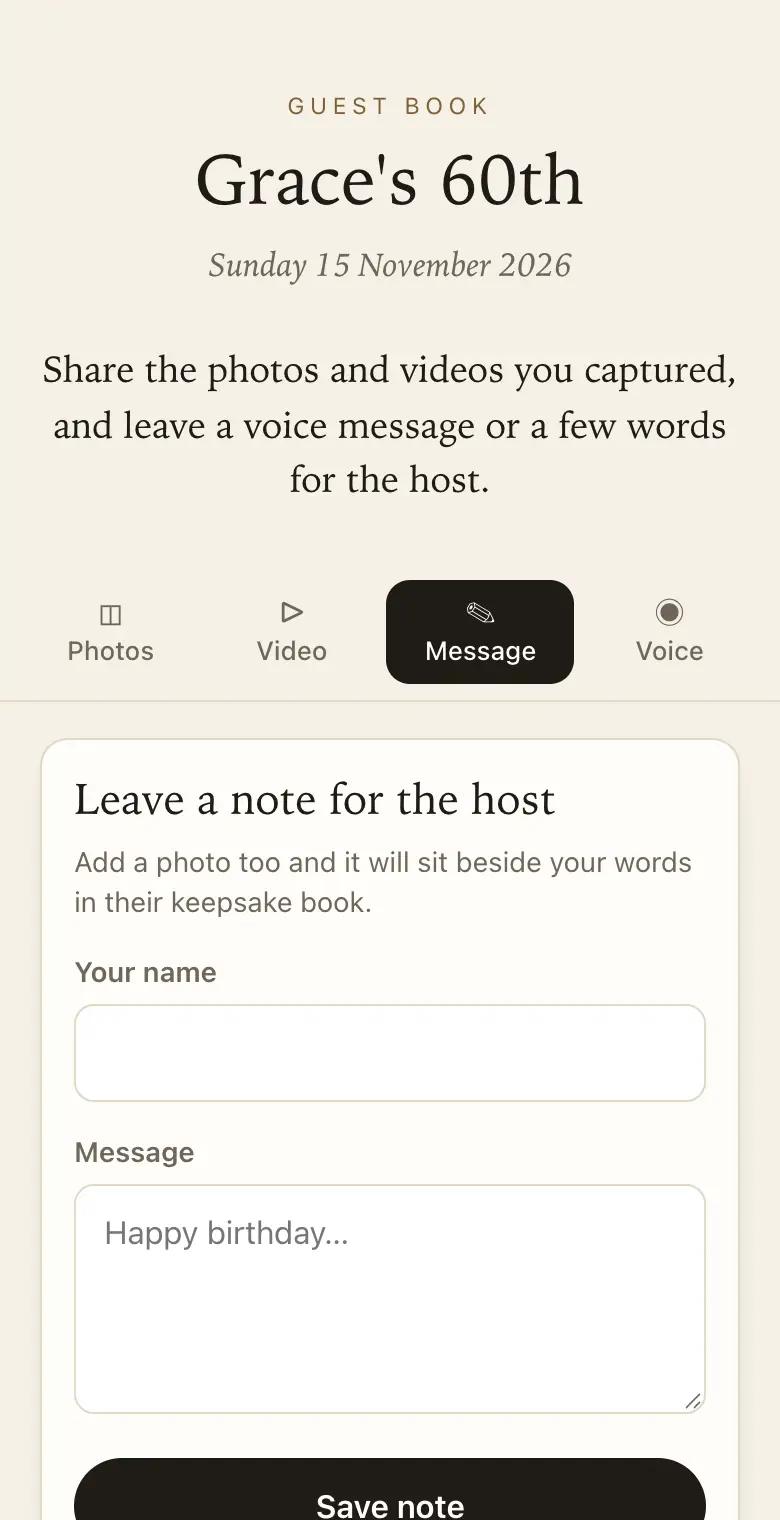
- Say something: a written message with their name, a voice message of up to a minute, or a video of up to 30 seconds on a paid plan.
- Keep the page open: photos are saved on the phone first, sent in the background, and retried if the signal drops.
- See their own: each guest sees only what they sent, unless you share more.
5. Your side on the day
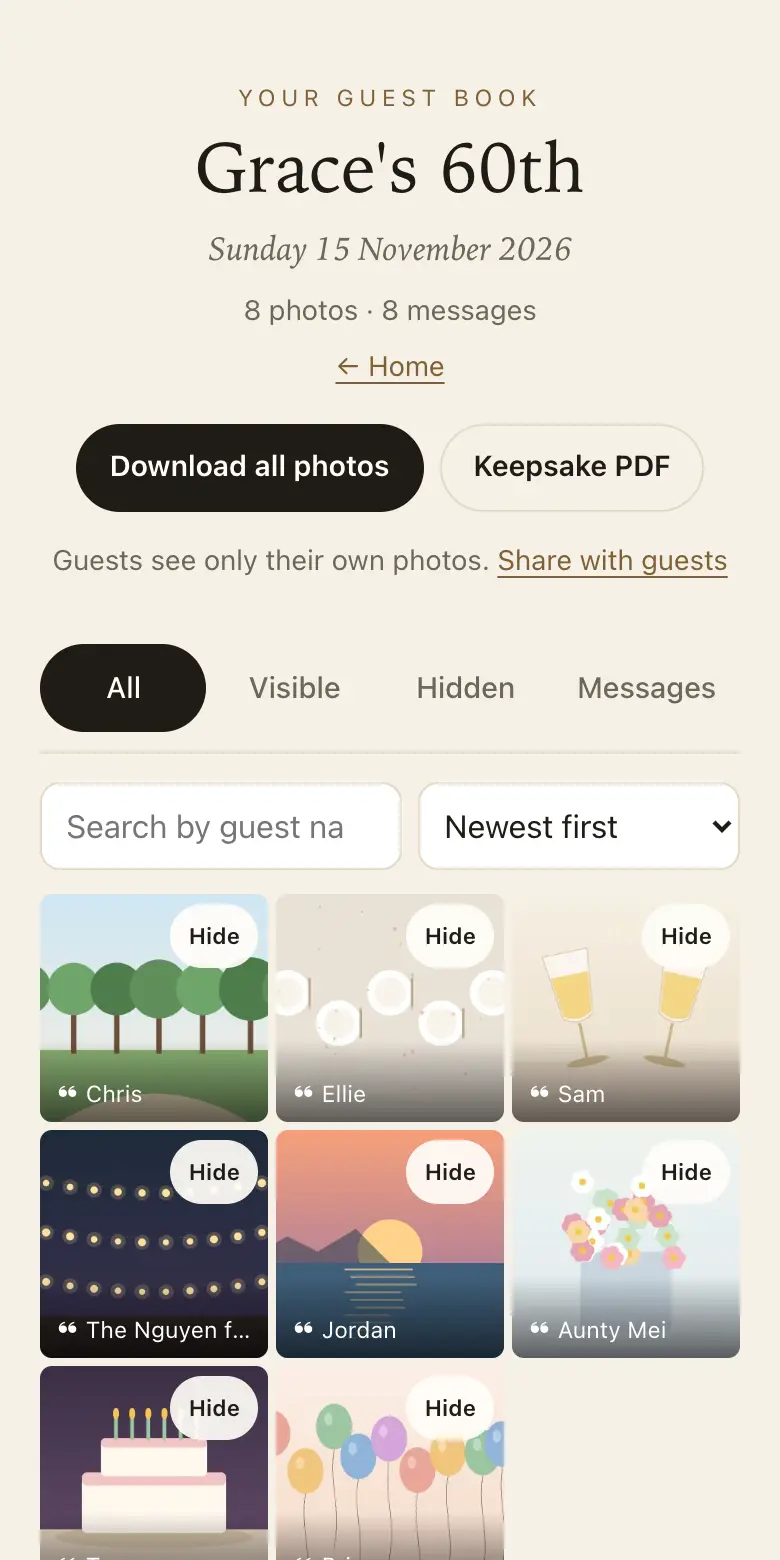
Follow along on the website dashboard or the Keepsake iPhone app, which notifies you as new photos arrive. Open the live slideshow on a TV, projector or laptop and it adds photos as guests send them.
For guests without a phone, booth mode turns a tablet or phone left at the venue into a station that gives each person a clean page. A family link lets relatives at home watch the guest book fill up, read-only.
6. After the day
Guests can keep adding for the plan's sharing window. Guests can add for 8 days on the free trial, 3 months on Classic and 12 months on Signature, counted from the event date. During the download period, download every original as a ZIP; after that, the smaller viewing copies stay until you delete them.
Make the keepsake PDF, a printable book of messages beside their photos, in your browser. The thank-you list, a CSV of everyone who sent something with counts, helps with the cards.
7. Plans and paying
There is a free trial for up to 50 photos and voice messages. Classic is A$79 and Signature is A$129, paid once per event, in Australian dollars (GST included for Australian buyers). There is no subscription and no fee per guest.
Every guest book starts on the free trial and opens straight away. You choose Classic or Signature on your dashboard when you are ready, and everything already in it stays. Written messages never count toward the limits, and at the limit guests can still write. Full refund within 14 days of paying, as long as your event date has not passed.
Price: free to try, then from A$79 once per event, including GST. Compare plans.
Read next: create your guest book · try the guest side · compare the plans · test it before the day
Questions
Do I need to confirm my email straight away?
Soon. Until you type in the six-digit code we email you, the guest book takes up to 10 uploads. A guest book that is never confirmed is erased 24 hours after sign-up, along with anything sent to it.
What does a guest see after scanning?
A page in their phone's browser, worded for your kind of event, with your prompts. They pick photos, write a note with their name, record a voice message or add a short video on a paid plan. They see only what they sent.
Can I try the guest side without making a guest book?
Yes. The demo at /demo shows the guest side, and nothing you pick there leaves your phone. To test your own QR code with real photos, start a guest book on the free trial and scan it.
Is my guest book open before I pay?
Yes. Every guest book starts on the free trial and opens straight away, so you can print its code and test it before choosing a plan. The free trial takes up to 50 photos and voice messages in total (no videos), plus written messages; guests can share for 8 days from your event date, and full-size downloads are available for 2 months. No card needed.
Where are the photos kept?
With Cloudflare, in its Oceania location, which covers Australia and New Zealand: a location we chose, not a legal guarantee. Guests' photos and messages are never sold, never used for advertising and never used to train AI. You can hide or permanently delete anything.
What do I get at the end?
Every original as a ZIP during the download period, a keepsake PDF of every message beside its photo, and a thank-you list of everyone who sent something. Once the download period ends, the smaller viewing copies remain until you delete them.
Also made for
Create yours now
Free trial, no card · Your QR code straight away · No password · Pay only when you are ready