
Baby showers · QR code guest book
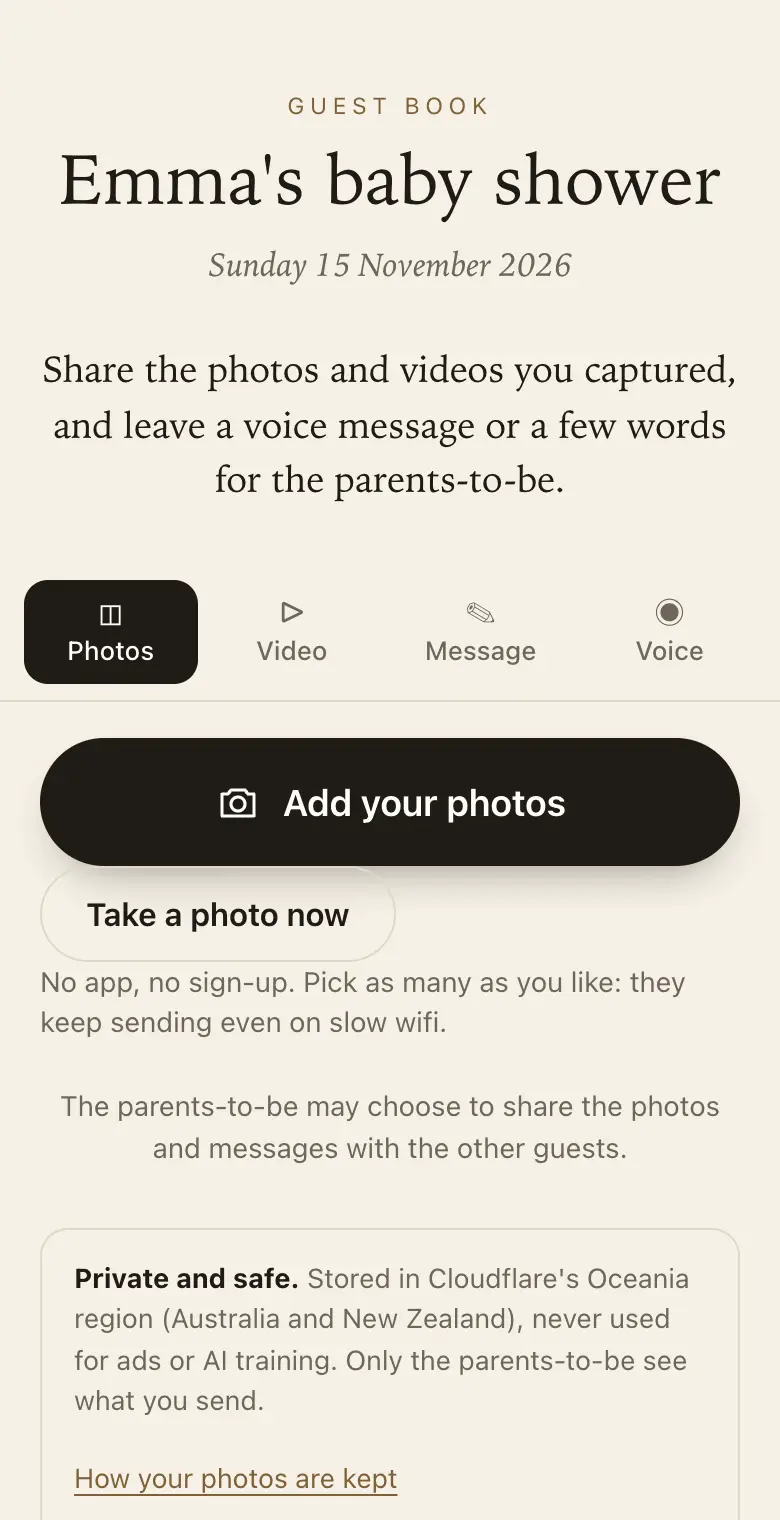
A baby shower guest book guests sign from their phones
Collect every guest's photos from the shower and their wishes and advice for the parents-to-be, in writing or as a voice message, ready to keep for the baby.
- Free trial, no card
- Your QR code straight away
- No password
What should guests write in a baby shower guest book?
Advice for the parents, wishes for the baby and a favourite moment from the day. With a QR code guest book they can also send their photos and record a voice message, all kept together for the family.
Prompts guests enjoy
Prompts show on the guest page while people write. Try "Your best advice for the parents?", "A wish for the baby?" or "Who will the baby look like?".
Simple for everyone
- One QR code by the gifts: guests scan when they arrive or while gifts are opened.
- Friends who cannot come: send the link and they can add their wishes from anywhere.
Sign wording for a baby shower
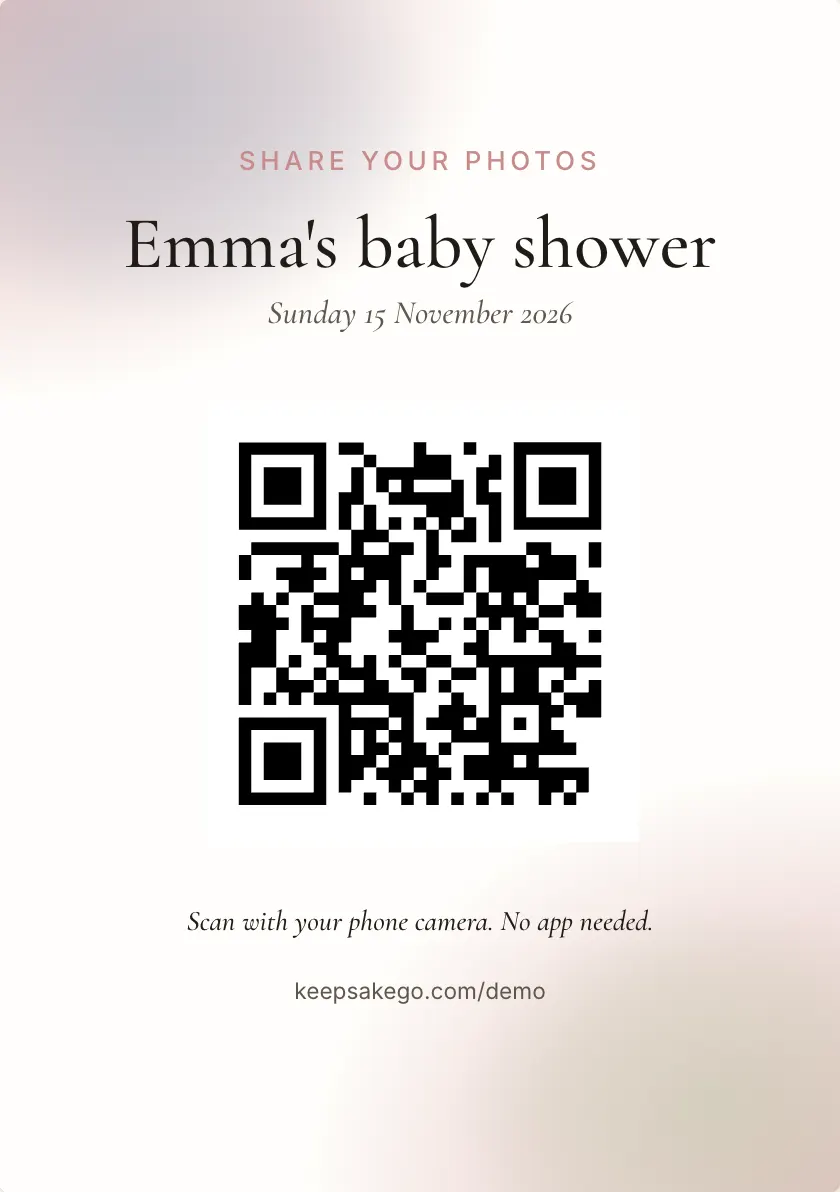
- Welcome sign Welcome to Emma's baby shower. Scan with your phone camera to leave a wish for the baby.
- Gift table card While the gifts are opened, scan and share your photos and your best advice for the parents.
- Dessert table card Leave a message for the baby to read one day. Scan here, no app needed.
Prompts guests answer well at a baby shower
Up to five prompts can be set, and guests see them while they write.
- Family traits: "What do you hope this baby gets from their parents?"
- Real advice: "The one thing nobody told you about the first month?"
- Bedtime: "A song every baby should hear?"
- Guessing game: "Your guess: arrival date, and whose nose?"
How it runs at a baby shower
- Before: send the link with the invitation so grandparents and friends interstate can record a voice message the parents-to-be can play later.
- As the shower starts: put the welcome sign by the door and a card on the gift table.
- Gift opening: someone always photographs each gift; with those photos and the thank-you list, matching gifts to givers for thank-you cards is easier.
- After the baby arrives: on a paid plan guests can keep adding for months after the shower, so a congratulations message for the new baby can land in the same place. Guests can add for 8 days on the free trial, 3 months on Classic and 12 months on Signature, counted from the event date.
Which plan for a baby shower
Most baby showers are small, and if guests mainly send photos and messages, the free trial is often enough. Choose Classic if you want videos of a gender reveal or the gift opening, or if you'd like friends to add congratulations once the baby is born. Signature is rarely needed for a shower, unless it is a large gathering with lots of video or you want the guest book open for a year.
A gender reveal without spoiling it
If the shower includes a gender reveal, the worry is a guest's photo reaching people before the parents have told family who couldn't come. Leave sharing with all guests turned off, so each guest sees only what they sent, and turn on approve first so nothing reaches the slideshow until you let it through. If the result is a surprise to the parents too, keep the slideshow off until after the reveal. Keepsake can't stop guests posting on their own social media, so a line on the sign helps, such as "Please keep the reveal off social media until Sunday".
Messages written for the baby
Ask guests to write to the baby rather than to the parents, and the guest book becomes something to read together in ten years. Grandparents' voice messages are especially worth having: a minute in their own voice, recorded before the baby was born. Print the keepsake PDF for the baby book, and download every original while the plan's download period lasts, so the full-size photos are kept safe with the rest of the family's files. Thank-you cards can wait until after the birth: the thank-you list keeps every name for you.
How it works: three questions, then your QR code. Print a sign or send the link, and guests share from their phone. See how it works.
Price: free to try, then from A$79 once per event, including GST. Compare plans.
Read next: wording ideas for your baby shower sign · prompts that get thoughtful wishes for the baby · free trial and plans for a baby shower · more questions answered
Questions
Can the baby shower guest book be a surprise for the parents-to-be?
Yes, if a friend or relative hosts it. The host sees everything and each guest sees only what they sent, so the parents-to-be see the messages when you choose: share them with all guests, send the family link, or hand over the printed keepsake PDF.
Should a friend or one of the parents create it?
Either works. Whoever creates it is the host, and they can invite one co-host, so a friend who is organising the shower and one of the parents-to-be can both manage it. Each gets their own sign-in.
Can guests who post a gift leave a message too?
Yes. Send them the guest link in a message. It opens the same page as the QR code from anywhere, so a friend who mailed a present from interstate can add a note or a voice message to go with it.
Can we use it for a virtual baby shower?
Yes, as the place everyone sends their wishes. Share the guest link in the invitation or the video call chat, and guests add photos, messages and voice notes from wherever they are. Keepsake doesn't run the call itself.
Can grandparents leave a voice message for the baby?
Yes, on every plan. A voice message can be up to a minute long, recorded in the phone's browser, and they can listen before sending. The first time, the phone asks for permission to use the microphone.
Will guests see the gift photos other people sent?
Not unless you share them. Each guest sees what they sent. If you'd like everyone to see the gift opening, choose to share photos with all guests from your dashboard, and hide any you'd rather keep private first.
Can we print the messages for the baby book?
Yes. The keepsake PDF lays out every message with its photo, the guest's name and the time, ready to print.
Also made for
Create yours now
Free trial, no card · Your QR code straight away · No password · Pay only when you are ready