
QR code for wedding photos · QR code guest book
How to make a QR code for your wedding photos
A QR code on each table turns every guest's phone into a way to send you their photos. With Keepsake you answer three questions, then your code is ready to print, test and put out on the day.
- Free trial, no card
- Your QR code straight away
- No password
How do I make a QR code for wedding photos?
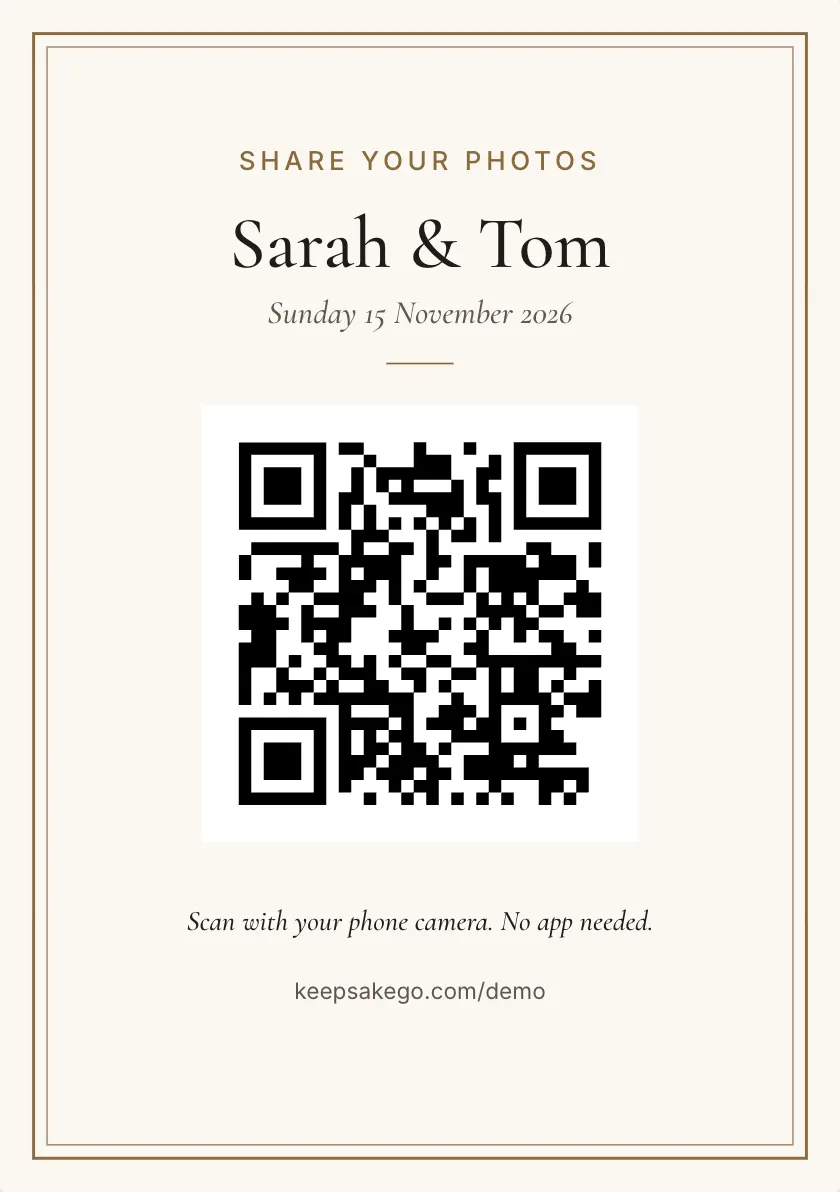
Go to keepsakego.com/start, choose wedding, name your guest book and add your email. Your QR code and live guest page appear straight away. Open the sign designer, pick a template and print table cards or a welcome sign, then scan the code yourself to check it before the wedding.
Step by step with Keepsake
- Answer three questions: the kind of event, the name guests will see, and your email address.
- Confirm your email: type in the six-digit code we send you. There is no password to remember.
- Design the sign: choose a template, add your names and the date, and pick an accent colour that suits your stationery.
- Choose a plan when you are ready: start on the free trial, then move to Classic or Signature before the wedding.
Where to place the code
Put a code wherever guests stop and have a free hand: each table, the bar, the entrance and beside the cake. A welcome sign catches people as they arrive, and a small card on every table reminds them later in the night, when the phones come out for speeches and dancing.
As a rule of thumb, a phone reads a code from about ten times its width, so the 7 cm code on an A5 card works from about 70 cm away, which suits a table.
What the sign should say
Keep it to one line of instruction and one reason to bother. Something like "Scan with your camera to send us your photos and a message" tells guests what to do and what you hope for. Add your names and the date so the card doubles as decor.
If you set a passcode, it is printed on the card. Turn on the optional back and guests get short steps on how to share, which helps anyone who has never scanned a code.
Test it before the day
- Scan the printed card: use your own phone, then a friend's, from about where a guest would sit.
- Send a test photo: check it lands in your dashboard or the Keepsake iPhone app.
- Think about the venue signal: if it is weak, photos wait on the phone and send when the signal returns, so guests should keep the page open until they finish.
- Clear your tests: hide or delete your test uploads so the slideshow starts clean on the night.
What guests see when they scan
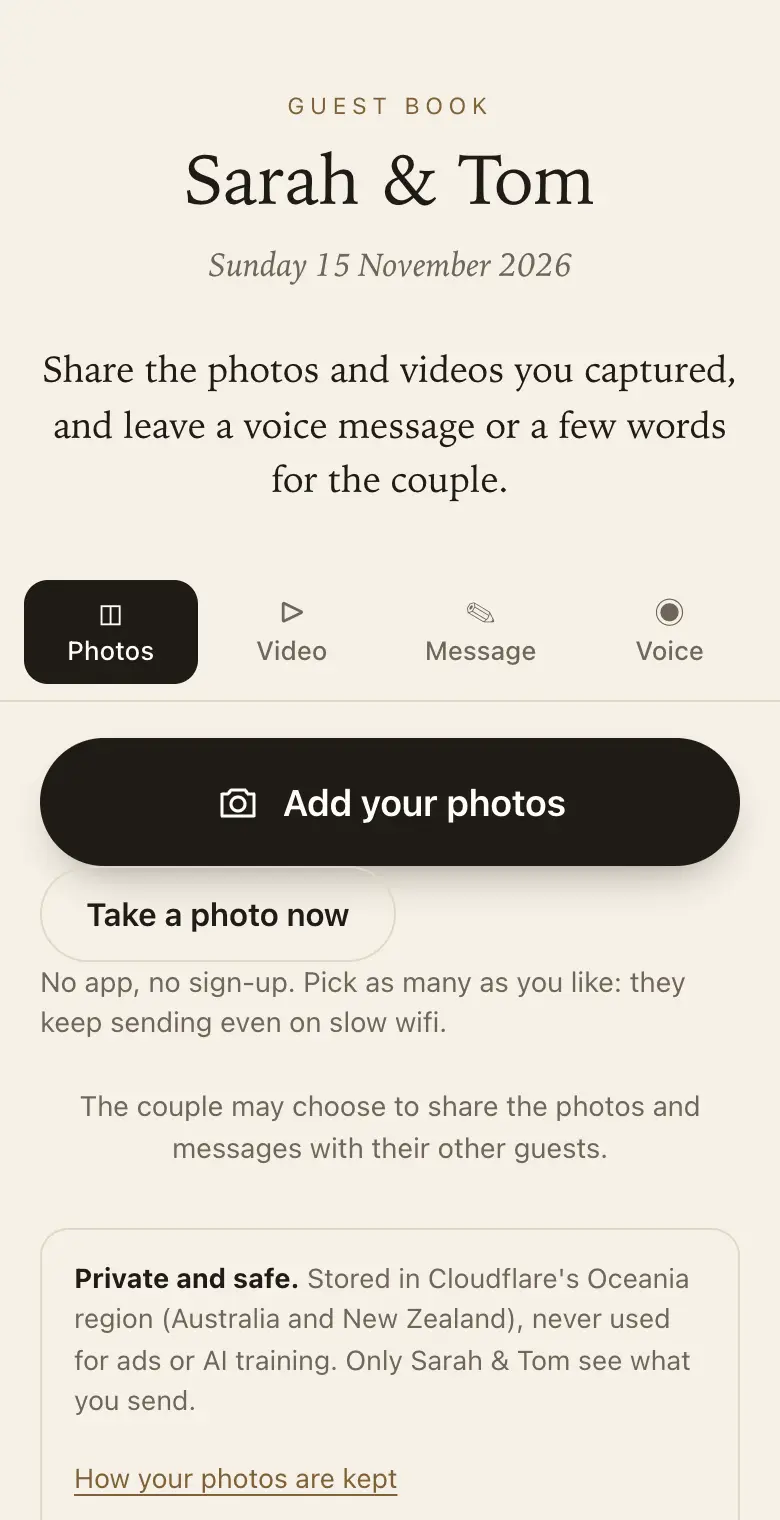
Their camera opens a page in the browser with your names and wording written for a wedding. There is nothing to install and no account to make. They can pick several photos at once from the camera roll, write a message with their name, record a voice message, or add a short video on a paid plan.
Guests see only their own uploads. You see the lot, and can share photos or messages with everyone later.
How it works: three questions, then your QR code. Print a sign or send the link, and guests share from their phone. See how it works.
Price: free to try, then from A$79 once per event, including GST. Compare plans.
Read next: where to put your QR signs · what to write on the sign · how to test before the day · the wedding guest book
Questions
Is the QR code free to make?
Yes. Creating a guest book and its QR code costs nothing. The free trial takes up to 50 photos and voice messages in total (no videos), plus written messages; guests can share for 8 days from your event date, and full-size downloads are available for 2 months. No card needed. When you want more room and time for the wedding itself, choose Classic or Signature from your dashboard.
Can I use the same code on every sign?
Yes. Each guest book has one QR code, and every template, table card and welcome sign uses it. Print as many as you need. Guests who scan any of them reach the same page, and their photos all collect in the one guest book.
Will the code still work if I print it small?
Yes, as long as guests hold their phones close enough. The smaller the code, the nearer the phone has to be, so keep small codes for tables and use a bigger sign anywhere people scan standing up.
Can guests send photos in the days after the wedding?
Yes. The same code and link keep working for the plan's sharing period, which counts from your wedding date. Guests can add for 8 days on the free trial, 3 months on Classic and 12 months on Signature, counted from the event date. Many guests find their best shots a week later while scrolling their camera roll, so mention the link in your thank-you message.
Can I send the link instead of a sign?
Yes. The guest link opens the same page as the QR code. Send it in a message to guests who could not come, or to everyone after the wedding as a nudge to share the photos still sitting on their phones.
What happens to the photos after the wedding?
You can download every original as a ZIP during your plan's download period, make a keepsake PDF of the messages beside their photos, and download a thank-you list of everyone who sent something. After the download period, the smaller viewing copies stay until you delete them.
Also made for
Create yours now
Free trial, no card · Your QR code straight away · No password · Pay only when you are ready