
Weddings · QR code guest book
The digital wedding guest book: one QR code for every guest's photos and messages
Your guests take hundreds of photos you will never see. Put a QR code on the tables and they share them with you on the night, with a message, a voice note or a short video.
- Free trial, no card
- Your QR code straight away
- No password
What is a QR code wedding guest book?
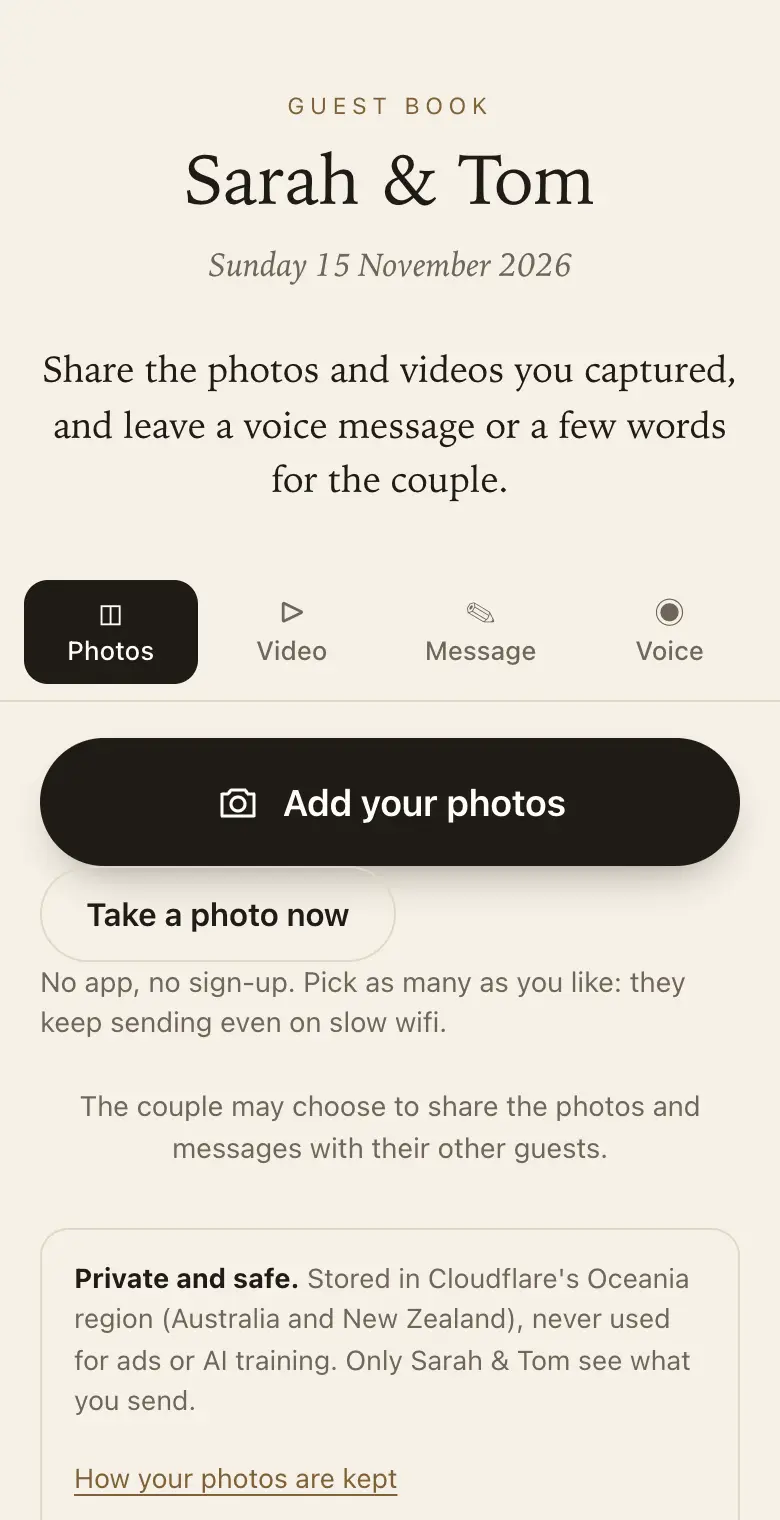
It is a guest book your wedding guests open by scanning a QR code at the ceremony or reception. They add the photos and videos they took and leave a written or spoken message, and everything is collected privately for the couple, ready to download and print as a keepsake book.
Made for the way a wedding day runs
- Before: set it up, pick a sign design and print table cards and a welcome sign.
- Ceremony and reception: guests scan, pick their photos and add a few words: getting ready, speeches, dance floor and all.
- On the screen: run the slideshow on a TV or projector so new photos appear during the night.
- The days after: photos keep arriving as guests find them on their phones.
Prompts that get better messages
A blank page makes people freeze. Your guest book starts with two prompts, "Your best marriage advice?" and "A favourite memory of us?", and guests see them as they write. Change them or add your own, up to five.
Sign wording for a wedding
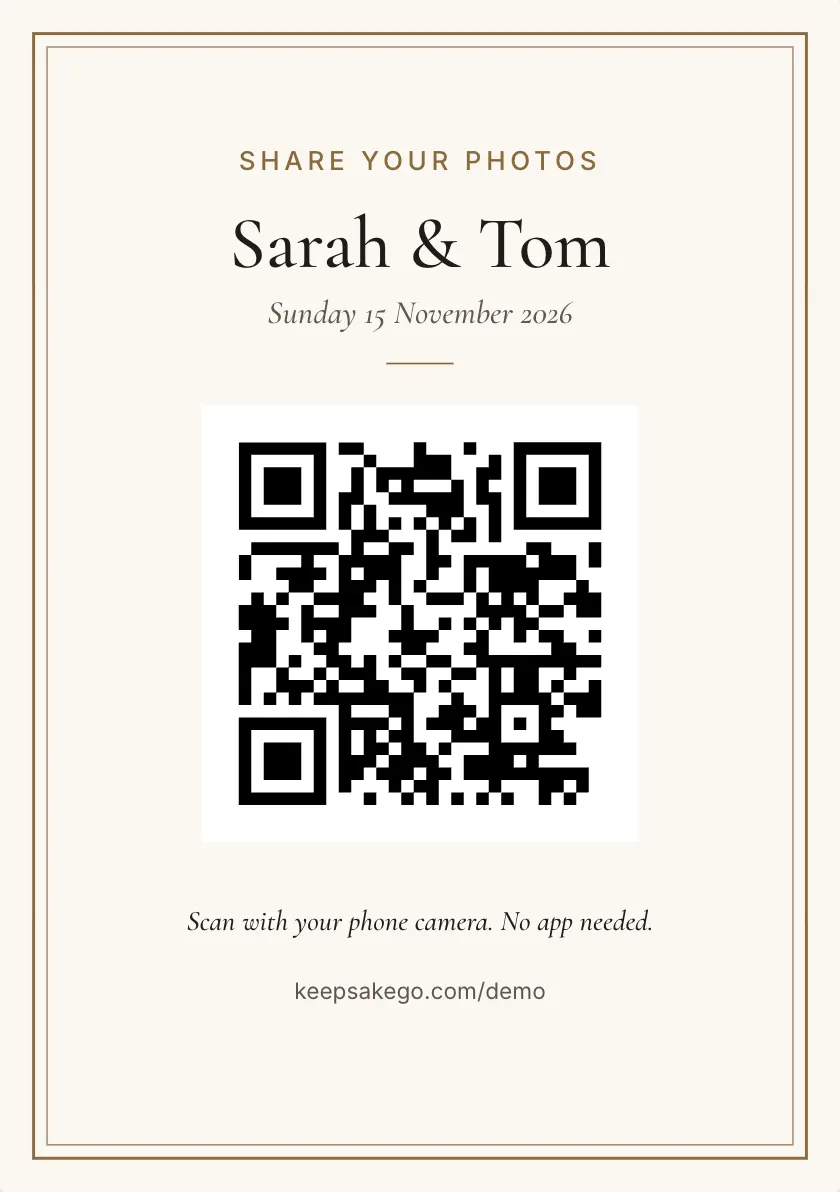
- Welcome sign Welcome to our wedding. Scan with your phone camera to share your photos and leave us a message.
- Table card Help us see the day through your eyes. Scan, add your photos from tonight and a few words for the two of us.
- Bar or photo spot Took a good one? Scan here and send it to us. No app, no sign-up.
Prompts guests answer well at a wedding
You can set up to five prompts, and guests see them as they write.
- For the future: "What should we never stop doing together?"
- For a laugh: "Your prediction for our tenth anniversary?"
- For the day itself: "The moment from today you'll remember?"
- For the first year: "A song for our first-year playlist?"
How it runs at a wedding, from invitations to thank-you cards
- Weeks before: put the guest link on your wedding website or in the invitation email, so guests who can't travel can record a voice message ahead of time.
- The morning of: send the link to whoever is getting ready with you.
- At the reception: ask your MC to mention the QR code once, as dinner is served and phones are already on the table.
- A few weeks on: download the thank-you list, a spreadsheet of everyone who sent something, and write your cards with their message in front of you.
Which plan for a wedding
An elopement with a handful of guests can stay on the free trial if you skip videos. Most weddings choose Classic: guests can send clips of the speeches and the first dance, and keep adding photos for months. Signature has more room and the longest sharing and download periods, which suits a big wedding where many guests film, or a couple who want late photos arriving for a year. Classic and Signature have no limit on how many photos, videos and voice messages guests send, within 25 GB on Classic and 40 GB on Signature. When a guest book reaches its limit, guests can no longer add photos, videos or voice messages, and can still leave written messages.
The speeches: when to mention it
During the speeches every phone points at the same spot, so a reminder works best then. Ask the MC to say one line as the last speech ends: "If you filmed any of that, scan the card on your table and send it to the couple." Clips of up to 30 seconds suit a toast. Videos come with the Classic and Signature plans; the free trial takes photos, voice messages and notes.
If the slideshow is running on the venue screen, guests see their own photos appear, which gives other tables a reason to join in. Turn on approve first if you'd like to check each photo before the room sees it.
Country venues and weak signal
Plenty of wedding venues sit among vineyards or inside old stone buildings where reception drops. Each photo is saved on the guest's phone first and sent in the background, and it retries when the signal comes back. The guest page asks guests to keep it open until their photos finish, so a small card with the venue wifi details near the QR code helps. Scan your code from the reception room itself during a site visit, not just from home.
How it works: three questions, then your QR code. Print a sign or send the link, and guests share from their phone. See how it works.
Price: free to try, then from A$79 once per event, including GST. Compare plans.
Read next: where to put QR code signs at your wedding venue · more prompt ideas guests actually answer · compare Classic and Signature for your wedding · questions couples ask before the day
Questions
Can we put the QR code on our wedding invitations?
Yes. The QR code works from the moment you create the guest book, so you can print it on invitations or add the link to your wedding website. The sharing period counts from your wedding date, so starting early doesn't shorten the time guests have afterwards.
Can our parents watch it fill up during the reception?
Yes. Send them the family link: a read-only page where they can watch the guest book fill up from their own phone, without being able to change anything. It suits parents who are busy hosting and grandparents who couldn't make the trip.
Can we stop guests seeing each other's photos until after the wedding?
Yes, that's how it starts. Each guest sees only what they sent, and the two of you see everything. When you're ready, you can choose to share photos, messages or both with all your guests, for example once you're back from the honeymoon.
What if a guest sends a photo we'd rather not keep?
You can hide it or permanently delete it from your dashboard. If you're running the slideshow, turn on approve first beforehand: new photos then wait for you or your co-host before other guests or the screen can see them.
How many QR code signs do we need for a wedding?
A welcome sign and a card on every table covers most weddings. The A5 card's code is about 7 cm wide, which reads from about 70 cm away, so each table needs its own card rather than one sign across the room.
Can it work as a wedding audio guest book?
Yes. Guests can record a voice message of up to a minute on every plan and listen back before they send it. For guests who would rather not use their own phone, set up a tablet in booth mode; it gives each guest a clean page when they finish.
Does it replace a paper guest book?
It can, or it can sit beside one. Guests who would skip a paper book will often send a photo and a line from their phone, and the keepsake PDF gives you a printed book at the end.
Where should the QR code go at a wedding?
On every table, at the bar and by the entrance: wherever guests pause. A welcome sign plus a small card per table works well.
Can guests add photos after the wedding?
Yes. Guests can keep adding after the wedding, so the photos they find later still reach you. Guests can add for 8 days on the free trial, 3 months on Classic and 12 months on Signature, counted from the wedding date.
Can guests who could not come leave a message?
Yes. Send them the link; it opens the same page as the QR code, from anywhere.
Also made for
Create yours now
Free trial, no card · Your QR code straight away · No password · Pay only when you are ready