
Digital guest book
What a digital guest book is, and how guests sign it
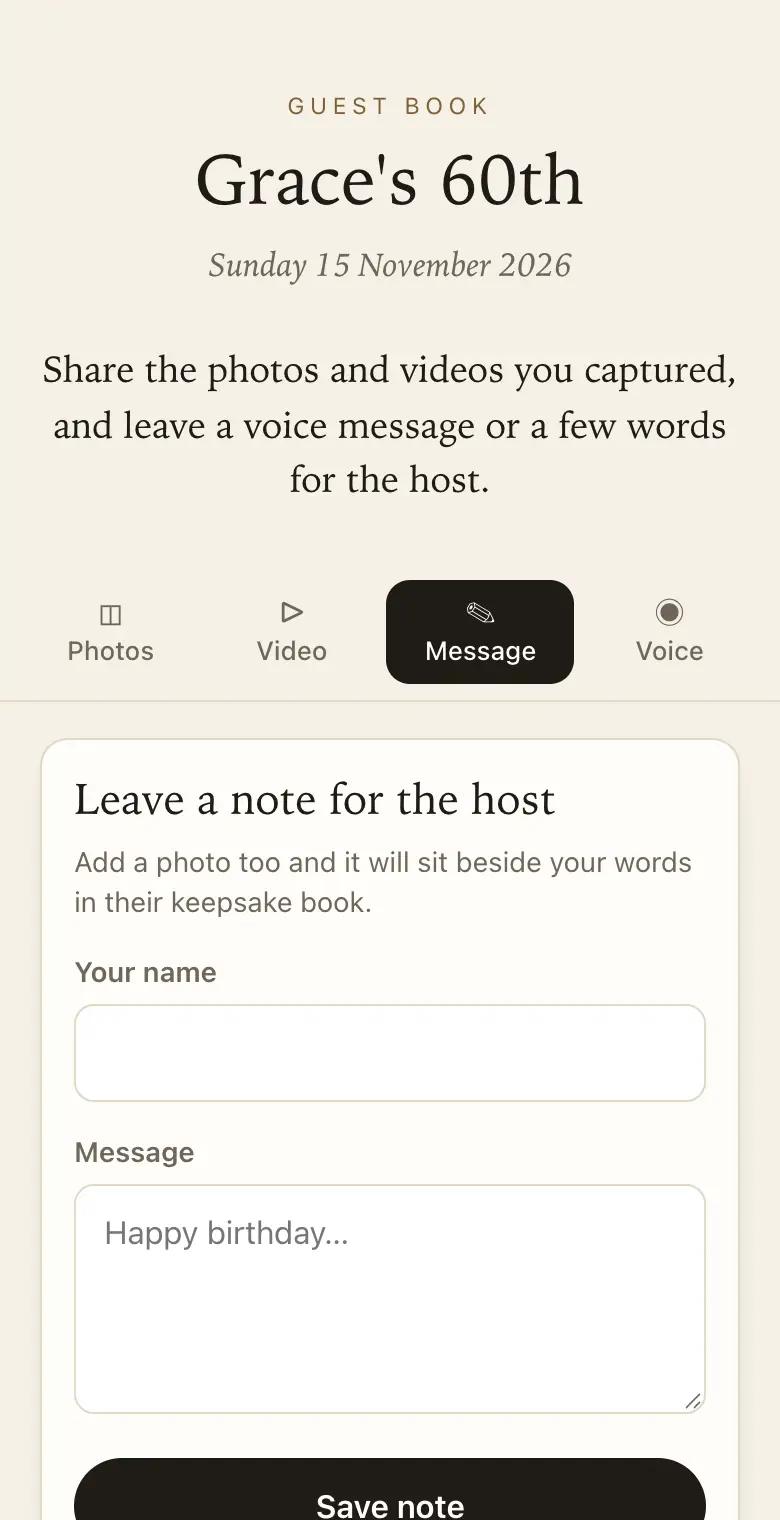
A paper guest book sits on one table and half the guests never reach it. A digital guest book comes to them: one scan, and they can write a message, record a voice note and add their photos.
- Free trial, no card
- Your QR code straight away
- No password
What is a digital guest book?
It is an online guest book signed from a phone instead of with a pen. Guests open it with a QR code or a link, leave a written or recorded message and add photos, and the host keeps every entry and can print them as a book.
Digital and paper, side by side
- Reach every guest: a QR code on each table instead of one book by the door.
- Say more than a line: voice messages, photos and short videos alongside the written words.
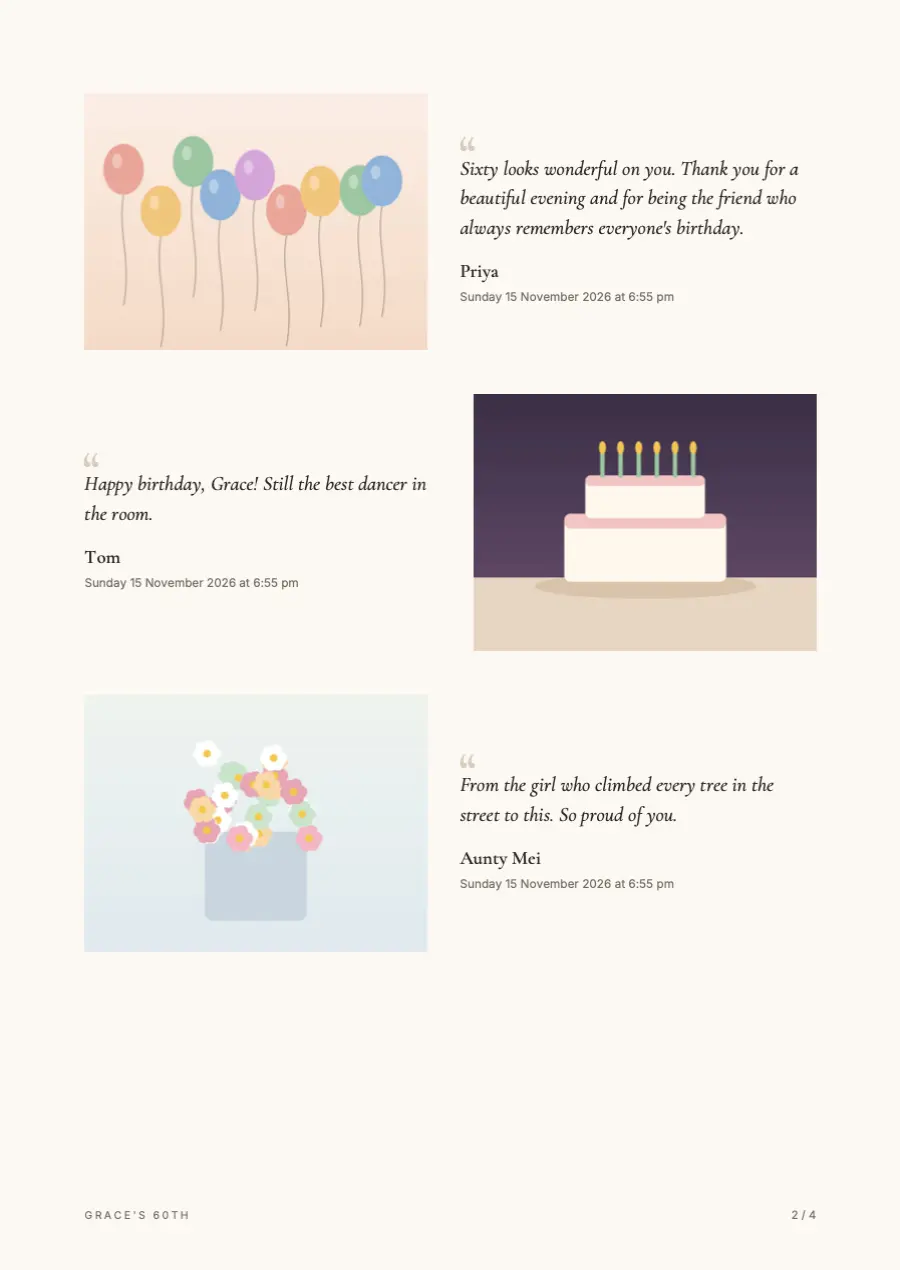
- Still a book at the end: the keepsake PDF lays out each message with its photo, ready to print.
- Nothing lost: no smudged pages or a book left behind at the venue.
What makes a guest book digital
A digital guest book keeps the idea of the book by the door: people who came leave a few words for the host. The difference is where they write. Instead of a pen and one shared book, each guest opens a page on their own phone by scanning a QR code, and their entry lands in one private collection you can read and keep.
Keepsake asks you three questions, then makes the QR code and a live guest page straight away.
What guests can leave
- A written message: with their name, helped by up to five prompts you choose, such as a favourite memory or a piece of advice.
- A voice message: up to a minute, played back before it is sent.
- Photos: several at once from the camera roll, kept as the original files.
- Short videos: up to 30 seconds, on paid plans.
Keeping a paper book as well
Some families want a pen-and-paper book no matter what, and the two work well together. Put the paper book by the entrance for relatives who expect it, and the QR cards on the tables for everyone else. The paper book holds signatures; the digital one holds the photos, the voices and the longer stories that would never fit on a page.
Prompts that bring better entries
A blank space invites "Congratulations" and little else. Prompts give guests something to answer. Weddings start with "Your best marriage advice?" and "A favourite memory of us?", other events have their own defaults, and you can set up to five questions of your own.
Printing it at the end
When the sharing period is nearly over, make the keepsake PDF from your dashboard. It lays out each written message beside the photo the guest sent. Print it and shelve it next to the paper book, so both halves of the day sit together.
Which plan for a digital guest book
Classic and Signature have no limit on how many photos, videos and voice messages guests send, within 25 GB on Classic and 40 GB on Signature. When a guest book reaches its limit, guests can no longer add photos, videos or voice messages, and can still leave written messages. Guests can add for 8 days on the free trial, 3 months on Classic and 12 months on Signature, counted from the event date. If guests will mostly write, the free trial goes further than it looks, because written messages never count toward the limits; choose Classic or Signature when you also want plenty of photos and videos.
How it works: three questions, then your QR code. Print a sign or send the link, and guests share from their phone. See how it works.
Price: free to try, then from A$79 once per event, including GST. Compare plans.
Read next: guest book prompts that get real answers · wording for a digital guest book sign · what each plan lets guests send · more questions about how a digital guest book works
Questions
Is a digital guest book the same as a photo sharing app?
They overlap. A photo sharing app is mostly about pictures. A digital guest book puts the words first: written and spoken messages, with photos and short videos beside them, and a printable book at the end. Keepsake does both from one QR code, without an app for guests.
Can guests sign it after the event?
Yes, until the sharing period ends. Send the link the next day to anyone who missed the QR code, or who thought of the right thing to say on the drive home.
Do guests have to give their name?
No, a name is up to the guest. If it matters to you, ask for one on the sign. Names also feed the thank-you list, a CSV of everyone who sent something, with counts, for writing thank-you notes.
Can I remove an entry?
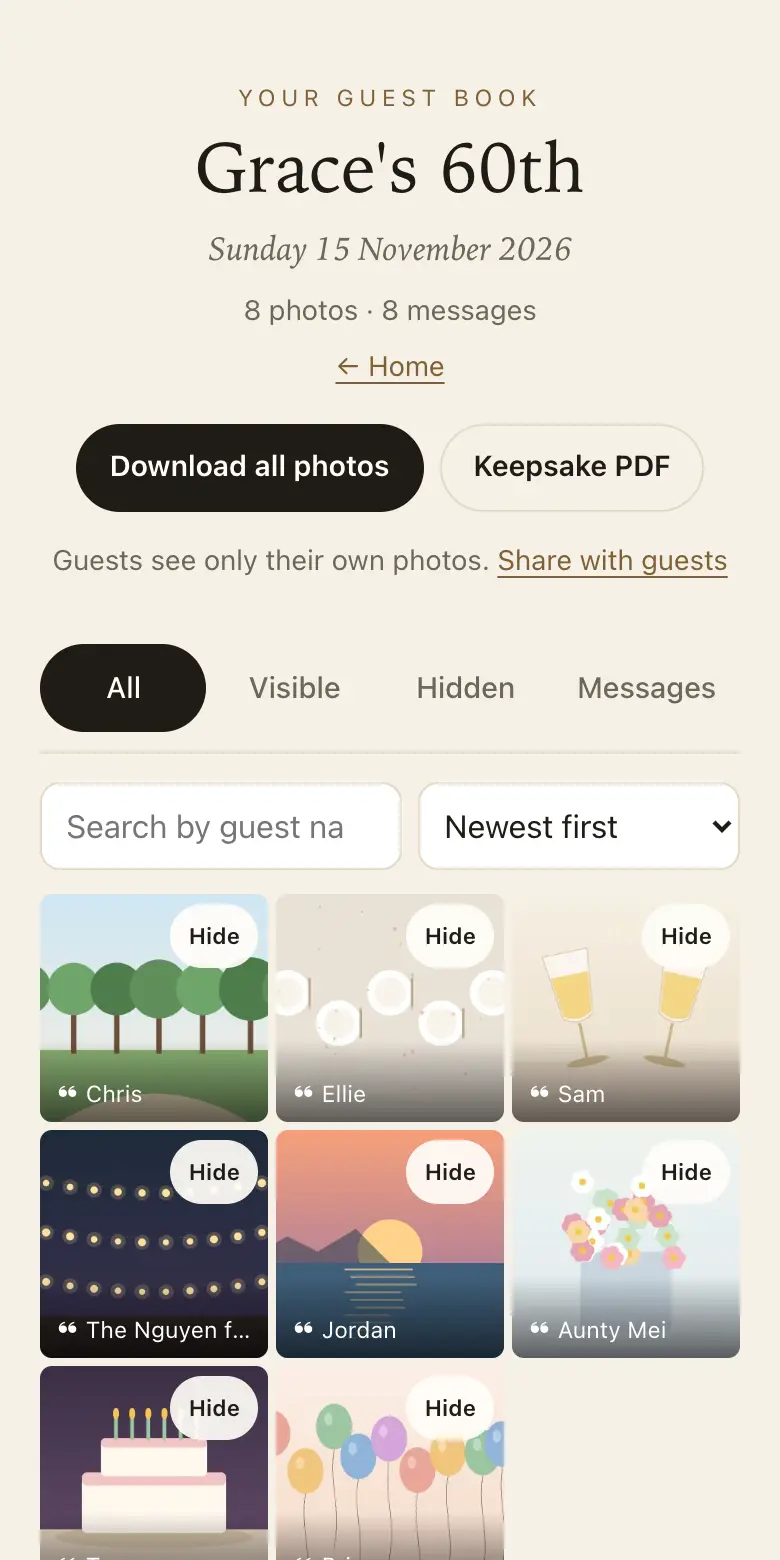
Yes. You can hide any message, photo or recording, or delete it permanently. Hidden entries stay out of the keepsake PDF, so the printed book holds only what you want to keep.
How do I make a digital guest book?
Go to keepsakego.com/start and answer three questions: the kind of event, its name and your email. Your QR code and guest page appear straight away. Confirm your email with the six-digit code we send, then design and print the sign.
What happens to the guest book after the event?
It stays in your dashboard. You can download every original as a ZIP during your plan's download period. After that, the smaller viewing copies remain until you delete them, and you can still make the keepsake PDF.
Can I print a digital guest book?
Yes. Make the keepsake PDF from your dashboard and print it at home or at a print shop.
Also made for
Create yours now
Free trial, no card · Your QR code straight away · No password · Pay only when you are ready