
Celebrations of life · QR code guest book
A memorial guest book that stays open after the service
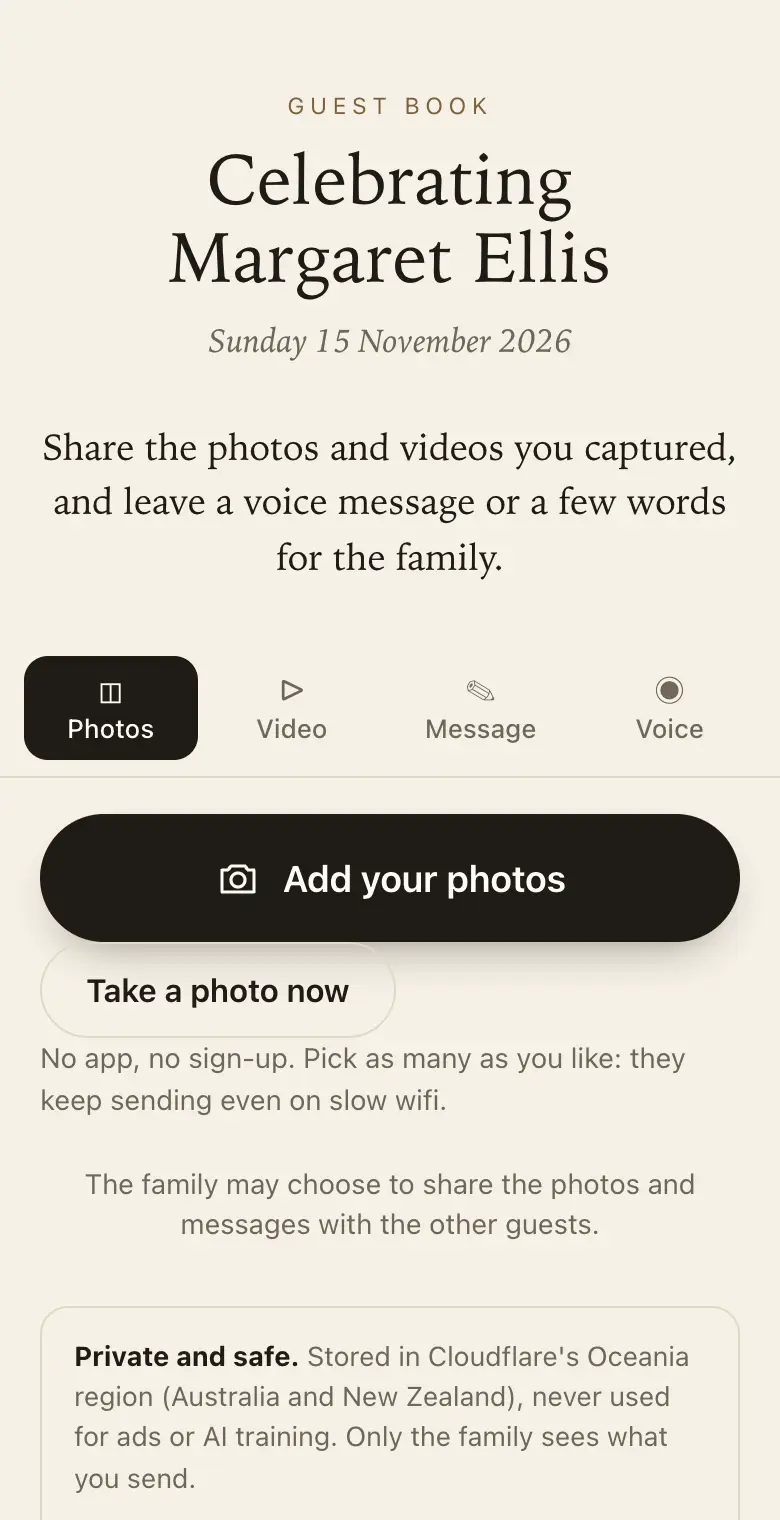
At a funeral or celebration of life, people bring stories and photos the family has never seen. A QR code guest book lets them share these quietly, during the gathering or in the days after.
- Free trial, no card
- Your QR code straight away
- No password
What is an online memorial guest book?
It is a private page where people who attend a funeral or memorial can leave a memory, a message of condolence, a voice message or photos of the person. The family keeps everything in one place and can print it as a book.
Gentle by design
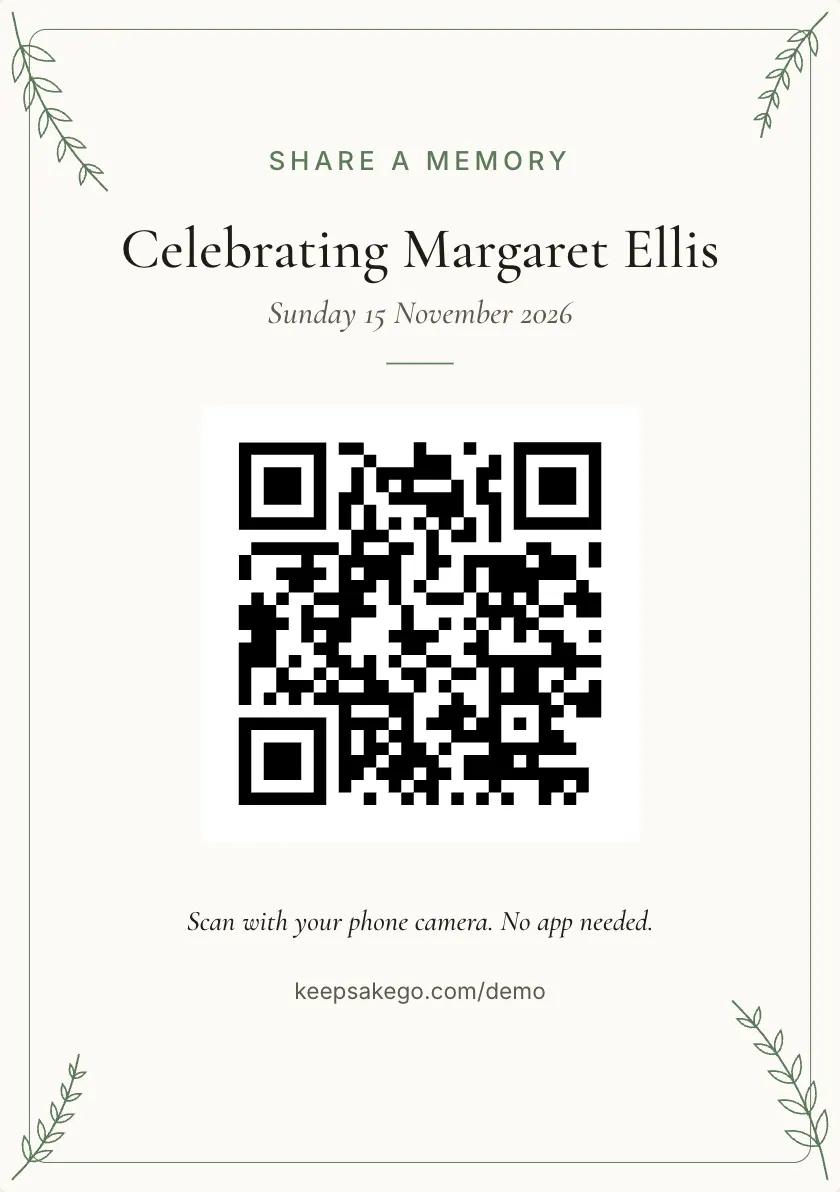
- Simple wording: choosing Celebration of life at sign-up gives a quiet sign that says "Share a memory".
- Old photos count: guests can photograph a printed picture and send it.
- Only the family sees it unless you choose to share it with everyone who came.
When memories come after the service
On the day, many people are too full to write anything. The stories tend to come later, at a kitchen table, when someone finds an old photo in a drawer. The same QR code and link keep working through the sharing period, so a cousin can add a memory when they feel ready rather than in a crowded room.
A card at the service, a line in the funeral notice or a link in the family's group message all open the same page.
Voices of older relatives
- Speaking instead of typing: a voice message of up to a minute suits an aunt whose hands are unsteady, or a grandfather who never took to texting.
- They hear it first: after recording, they can play the message back before they send it.
- Help at the venue: booth mode turns a tablet or phone left near the photo table into a page that clears for each person, so someone without a smartphone can still be heard.
- Kept as sound: years from now, the family can hear how something was said, not only what was said.
Checked first, then shared with family
Grief brings out great kindness, and now and then a photo that is wrong for the moment. Turn on approve first and new photos wait for you before anyone else, or the slideshow, can see them. You can hide or permanently delete anything, written messages included.
When it is ready to share, send the family link to siblings, children or relatives overseas. It is read only: they can watch the guest book fill up but cannot change anything. One person can look after it all, with one co-host to share the job.
A keepsake PDF for the family
Once the memories have settled, make the keepsake PDF. Each memory sits beside the photo that came with it, under the name of the person who shared it, and anything you hid stays out. You might print a copy for each household, or keep one aside for the first anniversary.
Words for a memorial sign
- Heading: "Share a memory of Joan" or "Celebrating the life of Joan".
- Instruction: "Scan with your phone camera to leave a story, a photo or a voice message for the family."
- For later: "This page stays open after today, so you can add a memory when you are ready."
Which plan suits a memorial
Memories keep arriving for weeks, so the sharing period matters more here than the number of photos. Guests can add for 8 days on the free trial, 3 months on Classic and 12 months on Signature, counted from the event date. Choose Classic or Signature if relatives will be scanning old albums or adding over months; the free trial suits a small gathering where most people share on the day.
How it works: three questions, then your QR code. Print a sign or send the link, and guests share from their phone. See how it works.
Price: free to try, then from A$79 once per event, including GST. Compare plans.
Read next: what to write on a guest book sign · how guests share memories, photos and voice messages · compare sharing periods on each plan · questions about privacy, downloads and plans
Questions
Will grieving guests have to sign in or give an email?
No. Guests scan the code and the page opens in their browser. Adding a name is up to them, though the family will want to know who wrote each memory, so the sign can gently ask for one. Only you, as the host, confirm an email address.
What if a message is one we would rather not keep?
You can hide it, which keeps it out of view and out of the keepsake PDF, or delete it permanently. Guests see only what they sent unless you choose to share, so nobody else will come across it.
How long can people keep adding memories?
The sharing period counts from the event date, which you can change in settings if the service moves. After it closes, you can still look through everything, and download the originals during your plan's download period.
Can we show photos on a screen at the wake?
Yes. The live slideshow runs on any TV, projector or laptop with a browser and plays photos as they are sent. With approve first turned on, only photos you have approved reach the screen, which matters in a room full of family.
Can a friend or celebrant set it up for the family?
Yes. Anyone can create the guest book and then invite one family member as co-host, so two people manage it together. Choose Celebration of life as the kind of event so the wording guests see is gentle.
Is there anything for people who cannot bring themselves to write?
A photo says a lot on its own. Guests can send pictures from their camera roll, or photograph a printed picture from an old album, with no words at all. A short voice message is another way to say something without composing it.
Can people who could not attend add a memory?
Yes. Share the link in a message or a notice; it opens the same page as the QR code.
Also made for
Create yours now
Free trial, no card · Your QR code straight away · No password · Pay only when you are ready