
Video guest book · QR code guest book
A wedding video guest book, filmed on guests' own phones
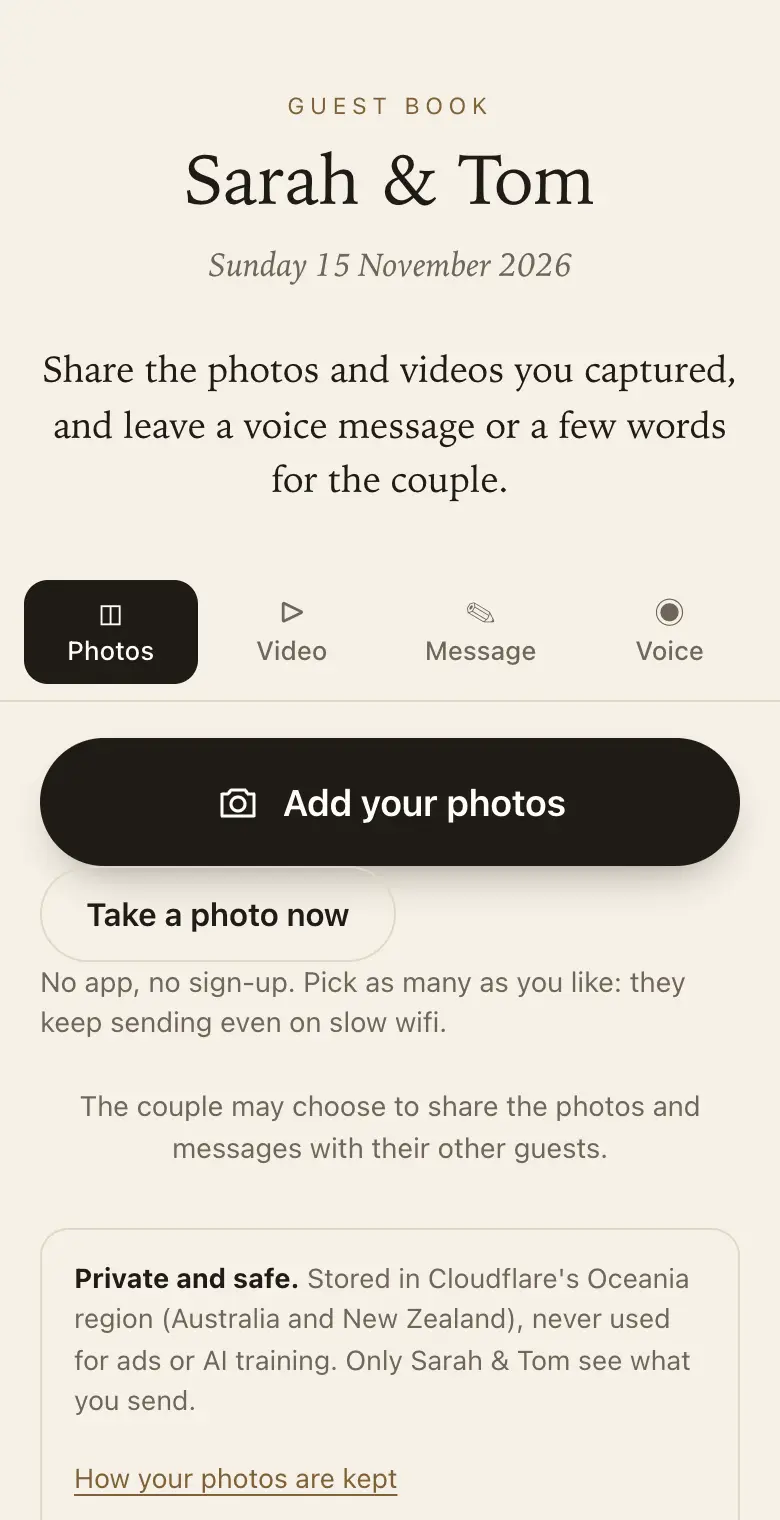
Some messages need a face and a voice: the uncle who cannot be serious, the friends who sing. Guests scan a QR code and send you a short clip from their phone, alongside photos, voice messages and written notes.
- Free trial, no card
- Your QR code straight away
- No password
How does a wedding video guest book work?
Guests scan your QR code and a page opens in their phone's browser. They can send short videos of up to 30 seconds from their camera roll, plus photos, written notes and voice messages. Videos are on paid plans only; voice messages work on every plan, including the free trial.
What guests can send
- Short videos: up to 30 seconds each, chosen from the camera roll. Videos come with the Classic and Signature plans; the free trial takes photos, voice messages and notes.
- Voice messages: up to a minute, on every plan, recorded in the browser and played back before sending.
- Photos: several at once, each uploaded as the original file.
- Written messages: with their name, helped along by your questions.
Videos are on paid plans only
The free trial takes photos and voice messages but no videos. Classic and Signature both take videos. If clips matter most to you, choose a paid plan before the wedding so the first guests to scan can already send one.
There is a free trial for up to 50 photos and voice messages. Classic is A$79 and Signature is A$129, paid once per event, in Australian dollars (GST included for Australian buyers). There is no subscription and no fee per guest.
Thirty seconds is plenty
A 30-second limit keeps clips to the point: a toast, a wave from the dance floor, a quick word to camera. Guests who want to say more can record a voice message of up to a minute, or write a longer note.
Prompts help too. Set up to five questions that guests see as they write. A wedding starts with marriage advice and a favourite memory, and you can change both.
How videos use your storage
Storage counts full-size files, and a video file is far larger than a photo, so a guest book with lots of clips fills up sooner than one with only photos. Classic and Signature have no limit on how many photos, videos and voice messages guests send, within 25 GB on Classic and 40 GB on Signature. When a guest book reaches its limit, guests can no longer add photos, videos or voice messages, and can still leave written messages.
Written messages never count toward the limits, and guests at the limit can still write. If you need more room, email info@eclipsemedia.au.
No hired camera, no booth to staff
A video booth needs someone to run it and a queue to wait in. Here every guest films on their own phone, whenever the moment suits them, and the clip lands in your guest book. For guests without a phone, booth mode turns a tablet or phone left at the venue into a shared station that gives each guest a clean page after they finish.
Watching and keeping the clips
Watch every clip on the website dashboard or in the Keepsake iPhone app. During your plan's download period, every original, videos included, comes down as one ZIP. The keepsake PDF is a printed book of messages and photos, so the clips live in your download rather than on paper.
How it works: three questions, then your QR code. Print a sign or send the link, and guests share from their phone. See how it works.
Price: free to try, then from A$79 once per event, including GST. Compare plans.
Read next: voice messages in the audio guest book · compare the plans · how much room you need · the wedding guest book
Questions
How long can a guest's video be?
Up to 30 seconds. Guests choose a clip from their camera roll, so they can film it with the normal camera app first and send it when it looks right. For longer messages, a voice message runs up to a minute, and written messages cover the rest.
Can I get videos on the free trial?
No. The free trial takes photos, voice messages and written messages, but no videos. You can test the guest side on the trial, then choose a paid plan before the wedding so videos are ready on the day.
Are voice messages included on every plan?
Yes. Voice messages are part of every plan, the free trial too. Guests record up to a minute in the browser and can listen before sending. At plenty of weddings, voice messages carry the words, photos carry the moments, and video is the extra.
Do videos use up the limit faster?
Yes. Storage counts the full-size files guests send, and videos are much larger than photos. Written messages never count, so guests can always leave words even when the guest book is full.
Can I download the videos in full quality?
Yes. Every original, videos included, downloads as a ZIP during your plan's download period. After that period ends, the smaller viewing copies stay in your guest book until you delete them, so download the originals in good time.
Can guests who are not at the wedding send a video?
Yes, on a paid plan. Send them the guest link and they can film a clip at home and send it from the same page as the QR code. It is a good way for family overseas to be part of the day.
Also made for
Create yours now
Free trial, no card · Your QR code straight away · No password · Pay only when you are ready