
Keepsake book
A guest book keepsake PDF, printed from guests' messages
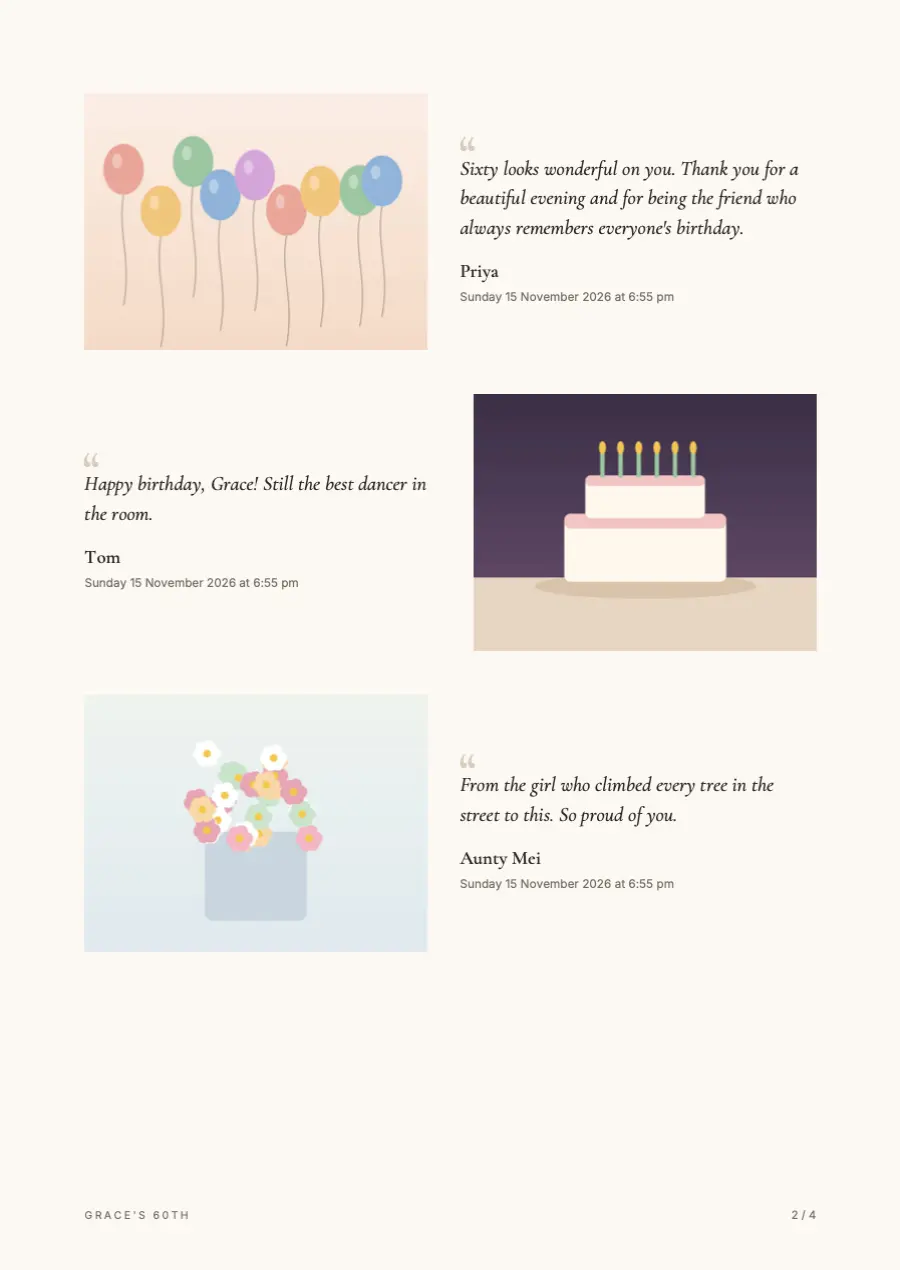
When the day is over, make the keepsake PDF: every message laid out beside the guest's photo, with their name and the time, ready to print and keep.
- Free trial, no card
- Your QR code straight away
- No password
What is the keepsake book?
It is a PDF made from your guest book: each written message appears beside the photo the guest sent, with their name and the time. You can add more of the guests' photos, then print it at home or at a print shop.
How to make it
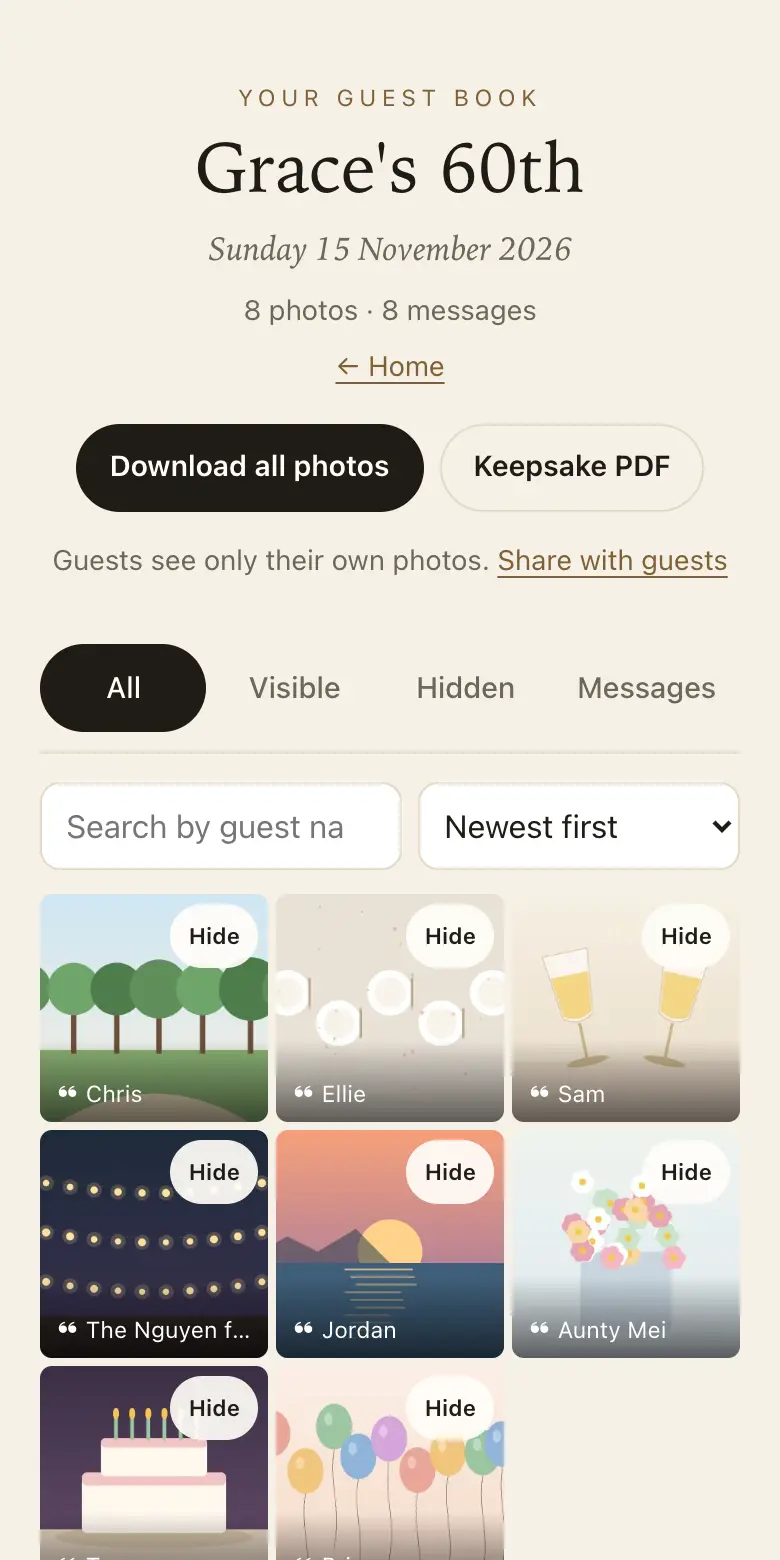
- From your dashboard: open Keepsake PDF and press the button to make it; it is built on your own device.
- Choose what goes in: hidden items stay out, and you can add more of the guests' photos.
- Print it your way: at home, at a print shop, or keep the PDF.
What is inside the PDF
- Each written message: set beside the photo the same guest sent, so the words and the face sit together.
- Names and times: the guest's name, if they gave one, and when they sent it.
- More photos if you like: add more of the guests' photos to fill out the book.
- Only what you kept: anything you hid stays out.
See a sample first
Open the sample keepsake PDF at /static/samples/keepsake-sample.pdf to see the layout before you make your own. It shows how messages sit beside photos and how names and times are set out, so you know what you are printing.
When to make it
Wait until the sharing period has closed, or nearly, so late messages make it in. Read through once, hide anything that shouldn't be printed, then make the PDF from your dashboard. It is put together in the browser on your own device, from the guest book you already have.
Printing it
The PDF prints at home on ordinary paper for a quick copy. For something to keep on a shelf, take it to a local print shop and ask about heavier paper and a bound cover, or upload it to a photo book service that accepts PDF files.
Before you order, check the page size the printer expects, ask for a proof, and look closely at a photo or two. Order one copy, read it through, then order the rest.
Who it is for
- The couple or the host: a book for the coffee table, read again on an anniversary instead of scrolling a phone.
- Parents and grandparents: a printed copy for people who will never open a link but will turn every page.
- The family after a memorial: every story about the person, gathered in one place to pass around.
Which plan for the keepsake book
The keepsake PDF is on every plan, the free trial included. Guests can add for 8 days on the free trial, 3 months on Classic and 12 months on Signature, counted from the event date. Choose Classic or Signature when you want guests to keep adding for longer, so the book has time to fill.
How it works: three questions, then your QR code. Print a sign or send the link, and guests share from their phone. See how it works.
Price: free to try, then from A$79 once per event, including GST. Compare plans.
Read next: prompts that make the printed book worth reading · how much room your guest book needs · sharing and download periods on each plan · questions about printing, downloads and plans
Questions
Can I choose which messages go in?
Yes. Hide the ones you would rather leave out before you make the PDF. Hidden messages stay in your guest book but out of the book, so you can keep a private note without printing it for every relative to read.
Can I add a cover or a dedication?
The keepsake is a standard PDF file, so any PDF editor can add a cover page or a dedication before you print. Many print shops and photo book services can also add a printed cover when you order.
Do I need to download the photos first?
No. Make the PDF from your guest book in the dashboard; it uses the messages and photos already there. Download the originals separately if you also want every full-size file for other prints or albums.
Should I print it in colour?
Colour suits the photos, since guests' pictures arrive in colour. Black and white can look elegant, but faces in low light can turn murky. A one-page test print in each is a cheap way to decide.
Can family members have their own copy?
Yes. Send them the PDF file by email or a file-sharing link, and each household can print it where they like. That suits families spread across cities or overseas, who can each order locally.
When should I order the printed book?
After the sharing period closes, so nothing arrives once it has gone to print. Leave time for a proof and delivery if the book is a gift for an anniversary or a birthday.
Is the keepsake book included?
Yes, on every plan.
Also made for
Create yours now
Free trial, no card · Your QR code straight away · No password · Pay only when you are ready