
Birthdays · QR code guest book
A QR code birthday guest book for every photo and wish from the party
Put a QR code by the cake and every guest can send their photos of the night and a birthday message. Afterwards, the birthday person has all of it in one place.
- Free trial, no card
- Your QR code straight away
- No password
How does a QR code birthday guest book work?
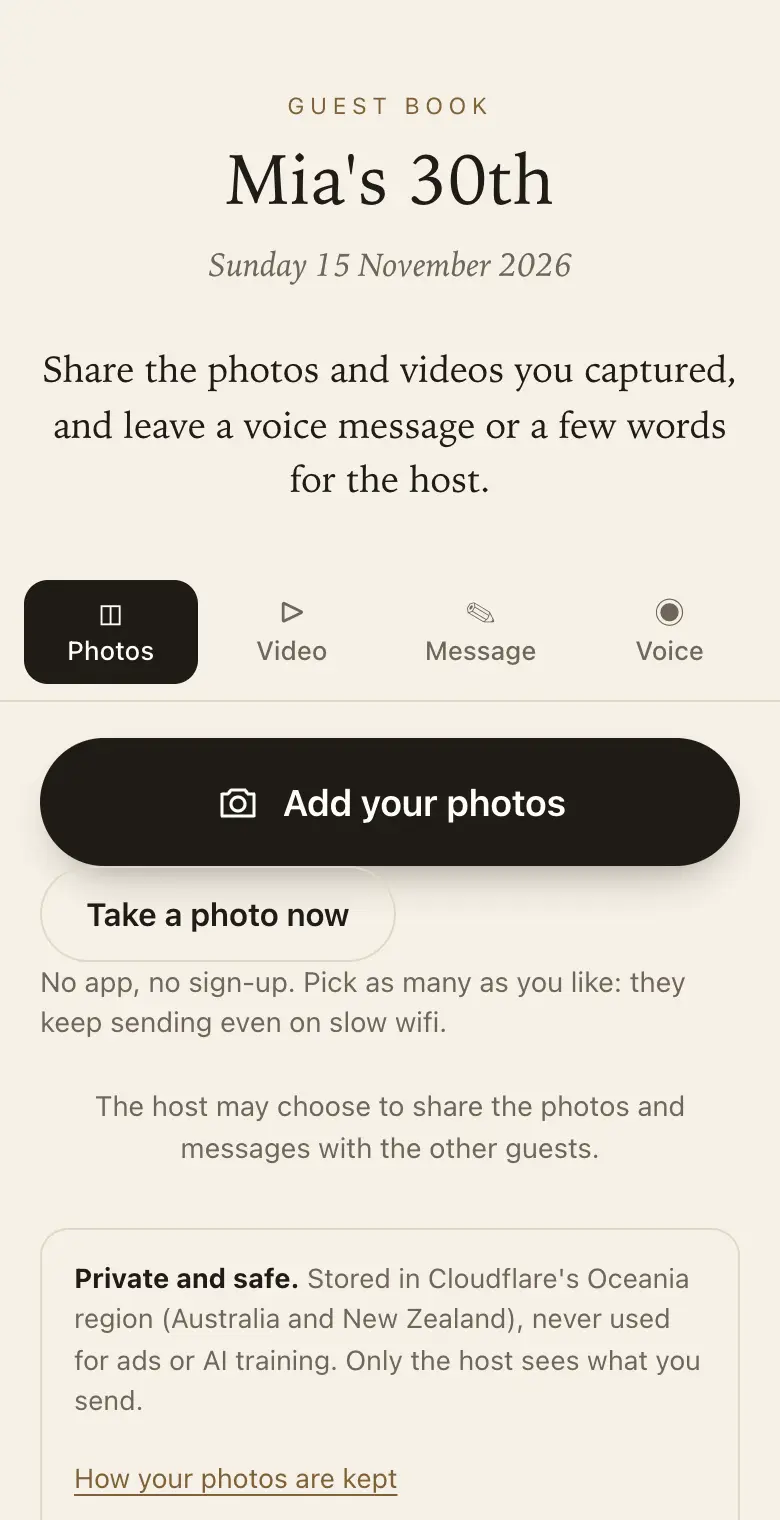
Guests scan a QR code at the party with their phone camera. It opens a page where they add their photos and videos and leave a birthday wish in writing or as a voice message. The host keeps everything privately and can download it or print it as a keepsake book.
Ideas by milestone
- 18th and 21st: ask for embarrassing stories and advice for adulthood; friends' photos of the night are the real record.
- 30th and 40th: ask "How did we meet?" and let old friends send photos from ten or twenty years ago.
- 50th and 60th: family far away can add a voice message by link before the party.
- 80th and beyond: voice messages from grandchildren, and old photos photographed from albums.
Surprise parties and kids' parties
For a surprise, send the link to guests who cannot come so their messages are waiting on the night. For kids' parties, parents send their photos to one place instead of a group chat.
Sign wording for a birthday
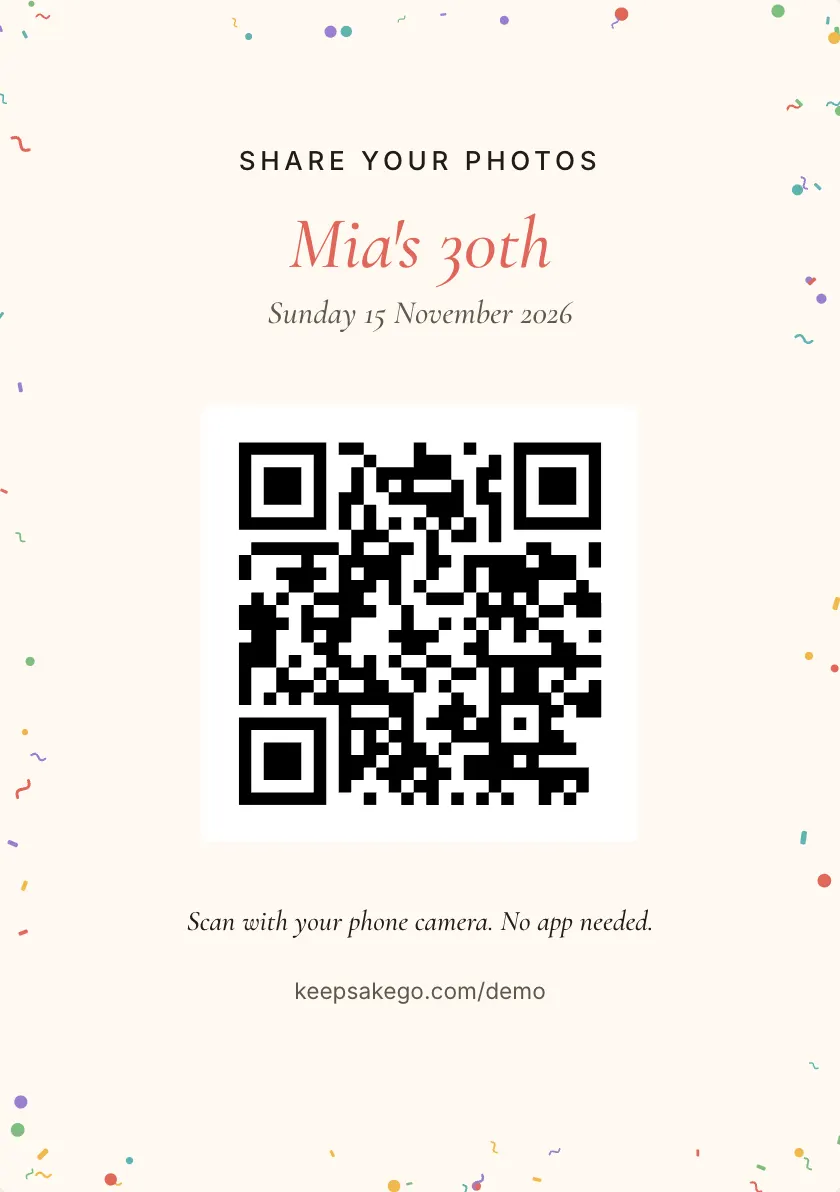
- Welcome sign Welcome to Mia's 30th. Scan with your phone camera to share your photos and a birthday message.
- Cake table card Got the candles on camera? Scan and send it to Dad for his 60th.
- Kids' party sign Parents, scan here to send your photos from today to Leo's family. No app, no group chat.
Prompts guests answer well at a birthday
Set up to five prompts, and guests see them while they write.
- Looking back: "A year of theirs you will never forget?"
- Something they gave you: "What did they teach you without meaning to?"
- Looking ahead: "One wish for the year ahead?"
- For the cheeky ones: "Your best story that's safe to tell their mum?"
How it runs at a birthday party
- A week out: message the link to friends interstate or overseas so their wishes are already waiting when the party starts.
- Cake and toasts: this is when phones come out together, so have whoever gives the toast mention the code.
- The morning after: go through the guest book with the birthday person over a late breakfast, then send the family link to relatives who'd like to look.
Which plan for a birthday
A dinner for a dozen friends, or a kids' party where parents send a few photos each, often fits the free trial. If guests will film the candles or a speech, or friends want to keep adding photos from the weekend for months, Classic is the usual choice. Signature suits a large 21st or 50th with lots of video, or a party where you want guests adding for a full year. Classic and Signature have no limit on how many photos, videos and voice messages guests send, within 25 GB on Classic and 40 GB on Signature. When a guest book reaches its limit, guests can no longer add photos, videos or voice messages, and can still leave written messages.
Keeping a surprise party a surprise
Send the link early to people who can't make it, so a voice message from an old friend overseas is ready on the night. Each guest sees only what they sent, so early messages stay with you even if the guest of honour somehow gets hold of the link. Leave sharing with all guests turned off until after the reveal. Once the surprise is out, run the slideshow on the TV so the night's photos play as they come in, and save the voice messages to play aloud together later.
Old photos for a milestone birthday
For a 40th, 50th or 60th, ask guests in the invitation to dig out one old photo of the birthday person. A print from an album works too: photograph it flat on a table near a window and send it like any other picture. Turn on approve first and you choose which ones reach the slideshow, so the school photo with the questionable haircut only appears if you let it. Pair each old photo with a line about when it was taken, and the keepsake PDF prints the two side by side.
How it works: three questions, then your QR code. Print a sign or send the link, and guests share from their phone. See how it works.
Price: free to try, then from A$79 once per event, including GST. Compare plans.
Read next: more ideas for what to write on the sign · how to run the slideshow on a TV at the party · plans and prices for a birthday party · answers to common questions about guest books
Questions
Can the birthday person see the messages before the party?
Not unless you show them. The host sees everything, and each guest sees only what they sent. If you're organising it for someone else, they see it when you share it with all guests, send them the family link, or hand them the printed keepsake PDF.
Can I make a birthday guest book for someone else?
Yes. Whoever creates it is the host, and you can invite one co-host, such as a sibling who is helping with the party. Afterwards, download everything, make the keepsake PDF as a gift, or give the birthday person the read-only family link.
Can children at a kids' party use it?
Usually the parents send the photos from their own phones. If the children want to join in, set up a tablet in booth mode: each child can record a short voice message for the birthday kid, and the page clears for the next one when they finish.
Can guests send a video message for a 21st?
Yes, on a paid plan. Videos can be up to 30 seconds, long enough for a toast or a quick story. Videos come with the Classic and Signature plans; the free trial takes photos, voice messages and notes. Voice messages of up to a minute work on every plan, including the free trial, for friends who would rather not be on camera.
Do I need to choose Birthday when I sign up?
It's worth it. The kind of event you pick changes the wording guests see on the page, so a birthday guest book talks about birthday wishes rather than a wedding or a work event. It is the first of the three questions at sign-up.
What if the party is at a restaurant with patchy signal?
Photos are saved on each guest's phone first and sent in the background, retrying when the signal drops. The guest page asks them to keep it open until their photos finish. If the restaurant has guest wifi, put the details on a card next to the QR code.
Can guests who are not at the party send a message?
Yes. Send them the guest book link in a message; it works the same as the QR code, from anywhere.
Is it free for a small party?
The free trial takes up to 50 photos and voice messages in total (no videos), plus written messages; guests can share for 8 days from your event date, and full-size downloads are available for 2 months. No card needed. That suits a small gathering; bigger parties and videos need a paid plan.
What should the birthday sign say?
Keep it short: "Share your photos and a birthday message: scan with your phone camera." Choosing Birthday at sign-up starts you on a playful sign design.
Also made for
Create yours now
Free trial, no card · Your QR code straight away · No password · Pay only when you are ready